

Topic – Domain Registrars
Post Reading Time – 38 Minutes
I know that finding a reliable place to host a website can sometimes feel harder than it needs to. There are so many different providers out there, lots of promises, and no shortage of opinions too. DreamHost is one of those names that comes up regularly, especially if you spend any time around WordPress users or website owners. The question is simple though. Is it just well known, or is there something there that actually makes it worth your consideration?
In this DreamHost Review, I’ll take a proper look at the service from the outside in. I’ll go through what DreamHost offers, how the hosting is structured, what is included, and what tends to catch people off guard later. I’ll also look at the performance expectations, support, and the overall experience based on published details and user feedback, not sales pages.
I’ve written this review for people who want clear answers. I want to explain how DreamHost works, who it’s for, and who may want to look somewhere else. If you’re trying to get your head around hosting options and want a good starting point, this should give you an idea of what to expect.
You can also visit the official DreamHost website here if you want to check their current plans and details directly.
Summarize This Content Using AI
TL;DR
DreamHost review
This review looks at what DreamHost offers as a hosting provider, how its features work in everyday use, and what you should know before choosing it for your website. It covers things like performance, the tools included, support options, and how easy it is to get started. That gives you a clear idea of what to expect if you consider DreamHost for your hosting needs.
A Quick Summary Of DreamHost
To start off with, here is a short summary of the main details about DreamHost.
- Service name – DreamHost.
- Company – An independent, employee owned hosting company based in the United States.
- Founded – 1996.
- What it is – A web hosting provider offering shared hosting, WordPress hosting, managed WordPress hosting, VPS, dedicated servers, and cloud hosting.
- Main focus – WordPress based websites, blogs, service sites, and small to medium sized online projects.
- Hosting options – Shared hosting, WordPress hosting, managed WordPress hosting called DreamPress, VPS hosting, dedicated hosting, and cloud hosting through DreamCompute.
- Server locations – United States only, with data centres on the East and West Coast.
- Email hosting – Included on some plans, added separately on others depending on the package.
- Support – Live chat, email support tickets, knowledge base, and community forum. Phone support available on higher plans or as a paid callback.
- Security basics – Free SSL certificates, domain privacy, backups on supported plans, and optional add-ons for extra protection.
- Pricing structure – Entry level plans for smaller websites, higher tier plans for multiple websites, managed options for WordPress, and advanced plans for growing or high traffic projects.
- Best suited for – Bloggers, WordPress users, freelancers, small businesses, and site owners who want flexibility and room to grow.
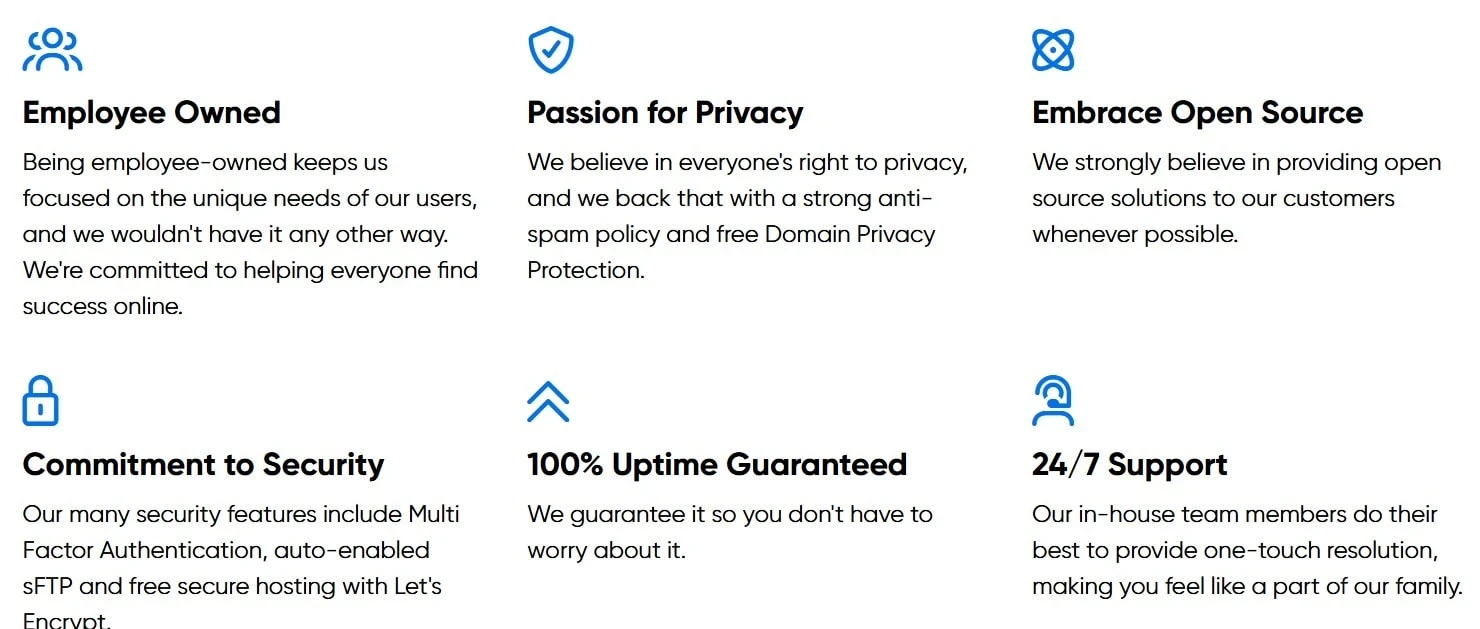
Overview of how DreamHost presents its core values on their website. Image taken from DreamHost.com
Company Background and a Bit of DreamHost History
DreamHost has been around for a long time, and that on its own makes it worth a good look.
It was founded back in 1996 by four students from Harvey Mudd College, which makes it one of the longer running hosting companies still operating today.
What started off as a small college project has grown into an independent, employee owned business that now supports more than 400,000 customers and hosts around 1.5 million websites. It’s quite an achievement!
DreamHost is based in California and keeps all of its servers in the United States. One thing that often comes up when reading about the company is its independence. It isn’t owned by a larger hosting group, and that gives it more freedom in how it runs its service and pricing.
This independence also shows in its long-term involvement with open source projects and its ongoing relationship with WordPress. DreamHost is officially recommended by WordPress, which is not something many hosts can say.
Over the years, DreamHost has attracted a wide range of users. That includes bloggers starting their first site, freelancers running personal projects, and businesses managing multiple websites.
It has grown steadily over the years and has kept the same focus, which is one reason many long-term users have stayed with the platform.
Hosting Types Available
One thing I noticed straight away when looking into DreamHost is that you’re not pushed into a single setup. There are different hosting options available, which makes it easier to start off small and change things later on if your site grows or your requirements change.
Here’s a look at the main hosting types you’ll find with DreamHost, explained in plain terms.
Shared hosting
This is usually where most people start. Shared hosting is aimed at smaller websites, blogs, and personal projects. Your website sits on a server with others, which helps keep the costs down. It’s a common choice for new site owners who want something simple and don’t expect a lot of traffic straight away.
WordPress hosting
DreamHost offers hosting built specifically for WordPress. These plans are set up to work smoothly with WordPress and come with features that make the installation and any updates easier. If WordPress is what you plan to use, this option keeps things straightforward.
Managed WordPress hosting called DreamPress
For those people who don’t want to deal with any technical maintenance, DreamPress takes more of that work off your hands. It includes things like automatic backups, built-in caching, and staging tools so you can test any changes before making them live. This option will suit websites that are growing or need a bit more attention behind the scenes.
WooCommerce hosting
If you’re planning to sell products online, DreamHost has hosting set up for WooCommerce stores. These plans are designed to support online shops and include security features such as SSL. This option is good for site owners who want to launch an online store using WordPress and WooCommerce without having to put everything together manually or worry about compatibility issues early on.
VPS hosting
Virtual Private Server hosting gives your website its own set of resources. This is useful if your website starts to attract more visitors or runs applications that need extra memory or processing power. This option is mainly chosen by agencies, developers, or businesses managing several sites under one account.
Cloud hosting
DreamHost also offers cloud hosting through its own platform. This option is more technical and is usually used for custom setups, applications, or projects where traffic can rise and fall without warning. You only pay for what you use, which can be good for certain types of projects.
Dedicated hosting
For bigger websites or projects that need full control, dedicated hosting gives you an entire server to yourself. This is usually used by established businesses or high-traffic sites that need consistent performance levels and custom server settings.
Overall, DreamHost offers a wide range of hosting needs. From someone’s first blog to a more demanding website, you can start at one level and move to another later without rebuilding everything from the ground up.
Where the Servers Are Located
DreamHost is quite honest about where its servers are based.
All of its data centers are in the United States, with locations on the East Coast in Ashburn, Virginia, and on the West Coast in Hillsboro, Oregon. These facilities run modern hardware and are set up to keep websites online and stable.
Because everything is based in the US, you don’t have the option to place your site on a server in Europe or Asia. I think that’s important and worth knowing upfront, especially if most of your visitors are outside of the US.
To balance that out though, DreamHost also works with content delivery networks, which can help serve your site content from locations closer to your visitors around the world.
For those websites aimed mainly at a US audience, this setup generally works well and keeps loading times consistent. If your visitors are spread across different countries, using a CDN can help pages load more smoothly for people further away from the main servers.
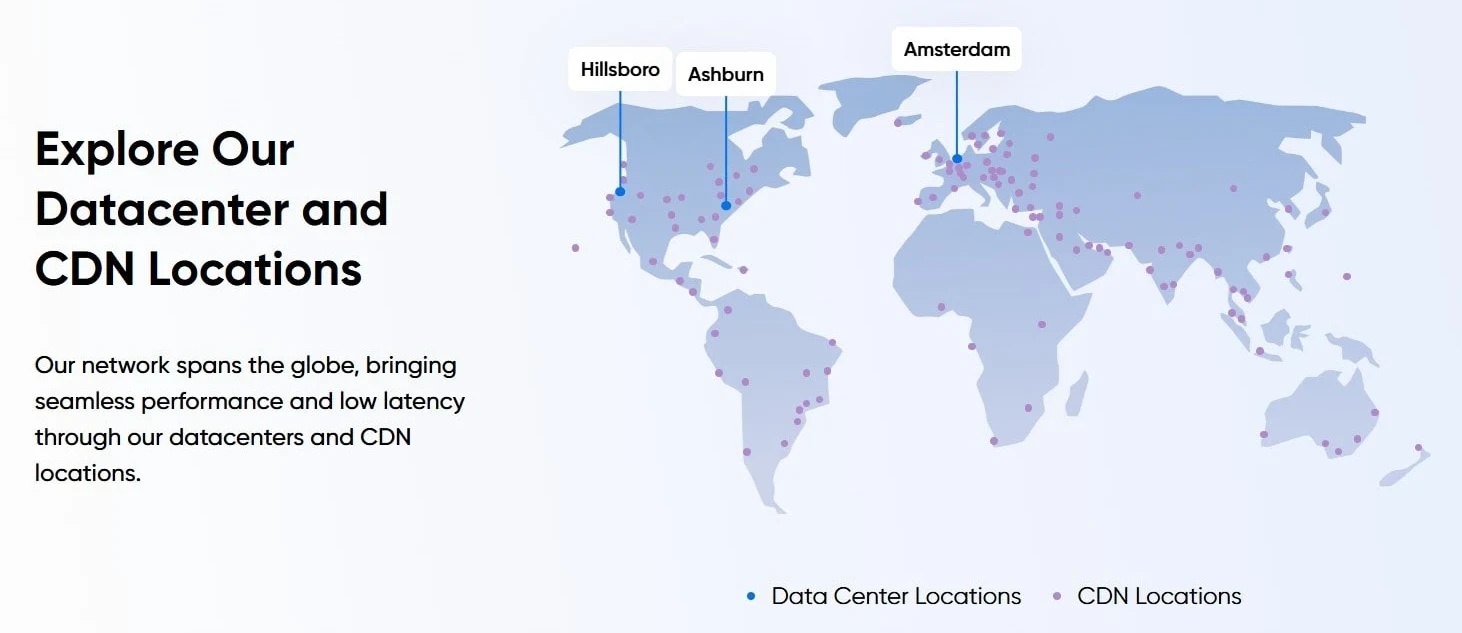
DreamHost’s data centre and CDN locations as presented on their website. Image taken from DreamHost.com
Who DreamHost Is For
I think that DreamHost works best for people who are happy to learn as they go and don’t need everything done for them. It isn’t built around a drag and drop website builder, so it does expect you to take a little bit of control.
Once you spend some time inside the dashboard though, things are pretty easy to follow.
It’s a good choice for people setting up their first blog or website, especially when WordPress is involved.
Freelancers, developers, and small teams also go with it because they can manage their sites without being pushed into add-ons they don’t really need.
If you’re starting off with something small and plan to build it over time, DreamHost gives you room to do that. It supports WordPress and WooCommerce well, which makes it suitable for content websites, service based sites, and online stores that may choose to expand later on.
For websites aimed mainly at a US audience, the setup usually works well and keeps things running consistently.
When DreamHost May Not Be the Right Choice
DreamHost won’t be for everyone, and that’s worth being clear about with you early on.
If you’re looking for the lowest possible price that includes everything by default, such as permanent email accounts and phone support on entry level plans, this may not be for you.
Some features are added separately depending on the plan you choose, and that can matter if you want everything bundled from day one.
It may also not be ideal if you need server locations outside of the United States. While content delivery networks can help with the loading times for visitors in other countries, the servers themselves are all based in the US.
For some projects, that’s perfectly fine. For others, it could be a limitation.
DreamHost is also built mainly around WordPress and common website setups. So if you’re planning something very specific or highly customised, especially outside the usual website frameworks, you may need to spend more time configuring things manually or look closely at whether the platform is for your requirements.
That doesn’t mean DreamHost is a bad option. It just depends on what you’re trying to build.
The DreamHost Control Panel and Dashboard
DreamHost doesn’t use cPanel, which is something you notice straight away. It has its own custom control panel where you manage your websites, domains, billing, and the basic settings.
If you’ve used cPanel before, this will feel a little different at first.
It just takes a little time for you to adjust while you work out where everything is. Once you do this, the layout makes good sense and it keeps things fairly clean and tidy.
Tasks like setting up SSL, installing WordPress, or managing your domains are handled all in one place without having to jump between screens.
The dashboard focuses on the things most people actually need on a day to day basis. It doesn’t have unnecessary clutter, which some users appreciate after spending time with other traditional hosting panels.
After a few days of use, many people find it easier to work with than they expected.
If you’re used to doing things a certain way, it’s worth giving yourself a little bit of time to get comfortable with it. It does have a learning curve, but it’s not difficult, and once you’ve settled in, managing your site feels easier rather than frustrating.
Getting Started and Setting Up a Site
Getting a website up and running with DreamHost looks fairly simple, especially if you’re planning to use WordPress. Many of the shared and WordPress plans come with WordPress already installed, which takes away one of the early setup steps that sometimes causes confusion for new site owners.
The setup process guides you through the basics, like connecting a domain, choosing how WordPress is installed, and selecting a few starting options along the way.
If you already own a domain, you can link it. If you’re registering a new one, that’s handled during the signup process. Subdomains can be added later on from the control panel.
In most cases, once the domain is pointing to the server, your site can be live quite quickly. That timing can depend on how long the domain takes to update across the internet, which is something no host really controls.
Apart from that small delay, there isn’t much stopping you from getting started.
The guided steps are there to help reduce early mistakes, especially for people building their first website.
They don’t lock you into anything permanent, but they do give you a starting structure so you’re not staring at a blank screen and wondering what to do next.
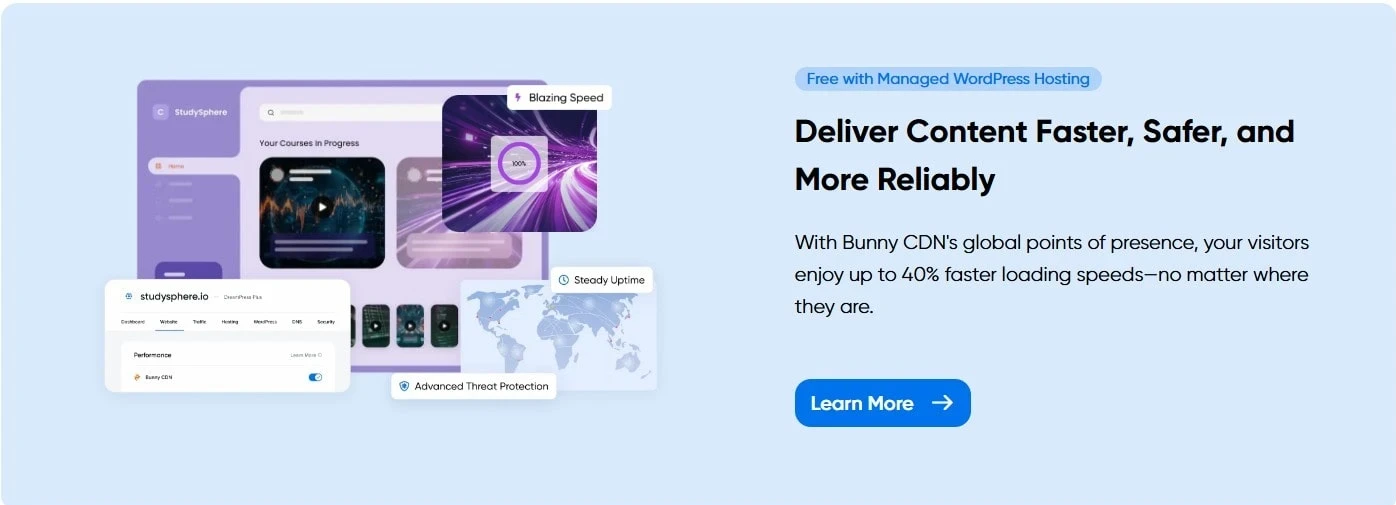
Illustration of DreamHost’s performance and CDN features, as shown on DreamHost.com
Performance Setup and Speed Related Features
When you look at how DreamHost handles performance, most of it comes down to the way their servers are set up. Their hosting runs on SSD storage, which is now pretty standard, and some plans also include NVMe storage.
This actually matters more for larger WordPress sites or websites that rely heavily on databases.
DreamHost also builds its hosting around WordPress, so the servers are configured to work well with it straight out of the box. Caching is available on supported plans, and there’s also integration with content delivery networks, which helps serve files from locations closer to visitors instead of relying on a single server location.
Once caching and any available CDN options are enabled, page loading should be consistent, even when visitors are coming from different parts of the world.
It’s important to know that this setup won’t fix a poorly built website, but it does give you a sound technical base to work from without having to set everything up manually.
Overall, the way DreamHost handles storage, caching, and content delivery is good for WordPress sites that want steady loading times without needing any advanced server knowledge.
Real World Speed and What You Can Expect
When it comes down to the speed, most of what’s known about DreamHost comes from published testing and independent benchmarks rather than any marketing claims.
From what’s been shared publicly, server response times tend to be strong for those websites hosted in the United States, with results often reported in the low hundreds of milliseconds.
For simpler websites that don’t rely on heavy themes or large numbers of plugins, the loading times are generally fast.
Broader averages that include visitors from different countries usually sit in the two to three second range, which is quite typical for shared and entry level managed hosting.
Websites aimed mainly at a US audience usually see the best results. For visitors further away, enabling a content delivery network can help close the gap by serving files from locations closer to the user instead of relying on a single server.
It’s also worth keeping your expectations realistic. Mobile speeds can vary depending on the device and the connection being used, and no host can completely control that.
Having said that, the underlying performance appears to be more than adequate for blogs, service websites, and smaller online stores that don’t push things too hard.
Handling Higher Traffic and Caching
When the traffic starts to increase, caching plays a big part in how well a website holds up.
With DreamHost, caching options are available on supported plans, which helps reduce the strain on the server when more people visit the site at the same time.
From what I’ve seen that’s been shared publicly, websites that have caching enabled tend to handle short bursts of traffic better than those that don’t. This can make a difference during busy periods, such as when a post gets shared on social media or a site sees a sudden increase in visitors over a short period.
That doesn’t mean every website will perform perfectly under pressure. A lot still depends on how the website is built, what plugins are running, and how much content is being loaded on each page.
What caching does offer is a layer of protection that helps keep things stable rather than slowing everything down at once.
For blogs, content sites, and smaller online stores, this setup should be enough to deal with occasional traffic spikes without everything grinding to a halt.
Uptime and Reliability
One of the things DreamHost quite often highlights is its 100% uptime guarantee, and that of course normally gets people’s attention. These guarantees are only one thing though, and it’s always worth looking at what’s actually been reported over time.
Based on publicly shared monitoring data and long term user reports, DreamHost usually sits somewhere between 99.8% and 99.9% uptime.
This is actually in line with what most people expect from an established hosting provider. Short outages do still happen from time to time, but they’re usually very brief rather than lasting hours.
When downtime does occur and it’s related to the hosting platform itself, DreamHost states that account credit is applied. How often people need to rely on that seems to be rare, based on long term customer feedback that’s publicly available.
A lot of users who’ve stayed with DreamHost for many years say that the consistency is the main reason. Their sites stay online, updates don’t usually cause any disruptions, and there aren’t frequent reports of extended outages.
Of course, no host is perfect, and I wouldn’t expect one to be.
But from what’s been shared over the years, DreamHost appears to offer a high level of reliability that’s steady and predictable, which is often more important than looking for perfect numbers and statistics.
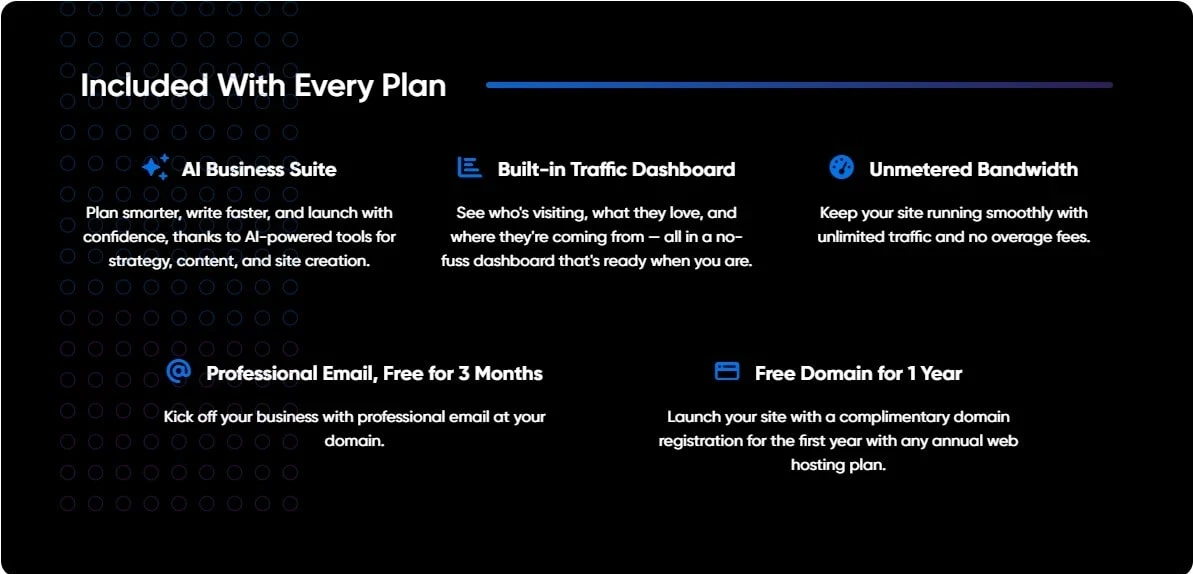
Overview of features DreamHost lists as included with certain plans, as shown on DreamHost.com
Shared Hosting Plans and What They Include
Shared hosting is where most people start off with DreamHost, and it’s also the part of their service that gets talked about a lot. This type of hosting is mainly good for personal blogs, smaller websites, and anyone who wants to get away from basic website builders and into proper hosting.
On the entry level shared plans, you’re usually limited to one website and a set amount of SSD storage. Bandwidth isn’t strictly capped, which is fairly normal for shared hosting, as long as the site is being used in a reasonable way.
The higher tier shared plans will allow multiple websites under the same account and remove the storage limits. These plans are designed for people running more than one website or managing projects that are starting to expand.
Email Limits and Plan Differences
One thing that I think is worth paying attention to is email.
Depending on the plan and current offer, email hosting may only be included for a limited time or added as a paid extra later on. It’s not what you call hidden, but it is something that can catch people off guard if they don’t check the details before signing up.
In terms of traffic, shared hosting is generally good for smaller and medium sized websites. The upper tier plans are often described as being comfortable with tens of thousands of visits per month, assuming the site is built sensibly and not overloaded with unnecessary plugins.
What I like here is that DreamHost seems to be fairly clear about how shared hosting is meant to be used. It isn’t sold as a solution for everything, but it works well for blogs and websites that are still finding their feet.
If a site outgrows shared hosting, moving to another plan within DreamHost doesn’t require rebuilding everything from the start, which makes it easier to move forward when the time is right.
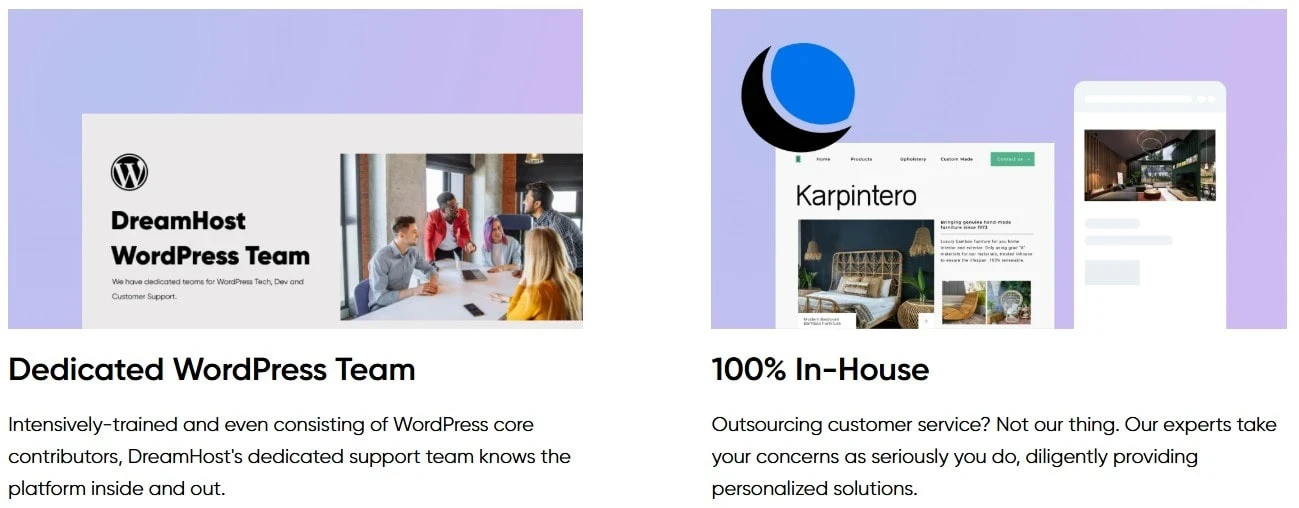
Overview of DreamHost’s WordPress support structure, as presented on DreamHost.com
WordPress Hosting and How It’s Handled
WordPress is a big part of what DreamHost offers, and it’s easy to see that a lot of their hosting is built with WordPress in mind.
They provide standard WordPress hosting on their shared plans, along with a more hands off option through their managed WordPress service, which they call DreamPress.
On the standard WordPress plans, things are kept simple. WordPress can be installed quickly, updates are handled automatically, and there are tools in place to help keep the site running without much in the way of manual effort.
These plans are generally aimed at people who are comfortable managing their own sites but still want some of the routine tasks taken care of.
DreamPress is the managed option and is designed for websites that need a bit more attention behind the scenes. It includes features like built in caching, regular backups, and staging tools so changes can be tested before going live.
The idea here is to reduce the amount of technical work site owners have to deal with on a day to day basis.
Moving an existing WordPress site over is also something DreamHost supports. From what’s publicly explained, migrations are handled in a way that’s meant to reduce disruption and avoid unnecessary downtime.
Between automatic updates and regular backups, WordPress sites hosted with DreamHost are set up to recover quickly if something goes wrong.
It’s not a guarantee that problems won’t happen, but it does mean there are safeguards in place to limit the impact when they do.
VPS Hosting and What It’s Used For
VPS hosting is usually the next step people take once a website starts to outgrow the shared hosting option. This stands for Virtual Private Server. It means your website runs in its own virtual environment with dedicated resources, instead of sharing everything with other sites on the same server.
With DreamHost, their VPS plans are fully managed, which means the server side maintenance is handled for you rather than something you need to deal with yourself.
These plans come with dedicated resources, including allocated memory and storage, so your site isn’t sharing those resources with others in the same way it does on shared hosting.
Entry level VPS plans start quite modest and can scale up to higher memory and storage limits for websites that need more room to operate.
Because the VPS plans are managed, updates to the operating system and general server security are taken care of by DreamHost. This makes VPS hosting more accessible for people who need the extra power but don’t want to manage a server manually.
Another thing worth paying attention to here is that VPS plans allow multiple websites under one account. This is often useful for freelancers, agencies, or anyone managing several client sites who wants everything kept in one place.
Overall, VPS hosting sits in the middle ground.
It offers more stability and control than shared hosting without pushing site owners into the full server management options. For expanding websites that need more consistent performance, this type of setup can be a good choice without adding unnecessary complexity.
Dedicated Hosting and When It Makes Sense
Dedicated hosting is at the top end of what DreamHost offers and it’s for websites or projects that need their own physical server. This type of setup is usually only needed once a site has grown well beyond shared or VPS hosting.
With dedicated hosting, the entire server is assigned to one customer.
That means all of the processing power, memory, and storage are reserved for that one single project. DreamHost’s dedicated servers are managed, so the underlying server maintenance is handled for you rather than being something you need to look after yourself.
The entry level dedicated servers start with solid hardware, including multiple CPU cores, a large amount of SSD storage, and a lot of memory. Further higher tier options are available for websites or applications that need even more resources in order to run smoothly.
Because these servers are managed, DreamHost takes care of things like system monitoring and general server upkeep. You still have a high level of control over how the server is used, but without having to handle every technical detail on your own.
To be honest with you, dedicated hosting isn’t something most website owners will ever need, and that’s fine. It’s there for situations where performance requirements are higher, traffic levels are consistently heavy, or a project needs its own environment without sharing resources with anything else.
For those cases, dedicated hosting offers a way to run the larger or more demanding websites without compromise.
Cloud Hosting and How DreamCompute Fits In
DreamHost also offers cloud hosting through a service called DreamCompute.
Now, this option is very different from shared, VPS, or dedicated hosting and is mainly for the more technical projects.
Cloud hosting with DreamCompute allows virtual servers to be created as needed, rather than committing to a fixed hosting plan. Usage is based on what’s actually being used, which can be good for projects where traffic levels change a lot or where flexibility matters more than the simplicity.
This type of hosting is often used for testing environments, custom applications, or websites that don’t follow a predictable traffic pattern. It’s also useful for staging work, where any changes can be tested separately before anything goes live.
DreamCompute isn’t really designed for beginners, and that’s worth being clear about upfront. It expects a certain level of technical knowledge and is better for those developers or users who are comfortable setting things up themselves.
For those kinds of projects, cloud hosting offers freedom and control.
For most standard websites though, shared, WordPress, or VPS hosting is usually a more practical and easier place to start off.
Security and What’s Included
Security is one of those things people often take for granted and assume it’s fully covered, but the details do matter.
With DreamHost, there are some good basics included, and a few areas where you may need to add extra protection depending on what you’re running.
Here’s what’s included by default on most of the plans.
- Free SSL certificates through Let’s Encrypt
- Automatic WordPress updates on supported plans
- Regular backups, depending on the hosting type
- Domain privacy included with registrations, which helps keep your personal details out of public records
These cover the fundamentals and are enough for many smaller websites, blogs, and content based projects.
That said, it’s important to be clear about what isn’t included on the lower tier plans.
Features like DDoS protection and automatic malware scanning are not always part of the base setup. DDoS protection helps prevent a website from being swamped by large volumes of fake traffic that can cause it to slow down or go offline completely.
In these cases, DreamHost offers paid add-ons, or you can use third party security plugins if you prefer to manage that side of things yourself.
For websites handling sensitive data, higher traffic levels, or stricter requirements, the managed plans and additional security options make more sense.
For simpler sites, the built in protections are usually enough, as long as basic good practices are followed.
Email Hosting and What to Expect
Email hosting with DreamHost is an area where it’s important to check all of the details before signing up.
On some of the lower tier plans, email may only be included as a trial period or offered as a paid add-on rather than something that’s permanently included. This isn’t really unusual in hosting, but it can surprise people who assume the email is always included by default.
If you need email from day one, especially if you’re setting up more than one mailbox or using email for a small team, it’s worth confirming exactly what your plan includes.
In some cases, email is added separately and charged per individual mailbox.
Higher tier shared hosting plans usually include email without extra limits, which makes things easier for people running multiple websites or managing several addresses under the one account.
There’s nothing especially complicated about how DreamHost handles email, but it’s worth paying attention to the plan details.
Taking a few minutes to check what’s included can save any confusion later on, especially if email is an important part of how you run your website or business.
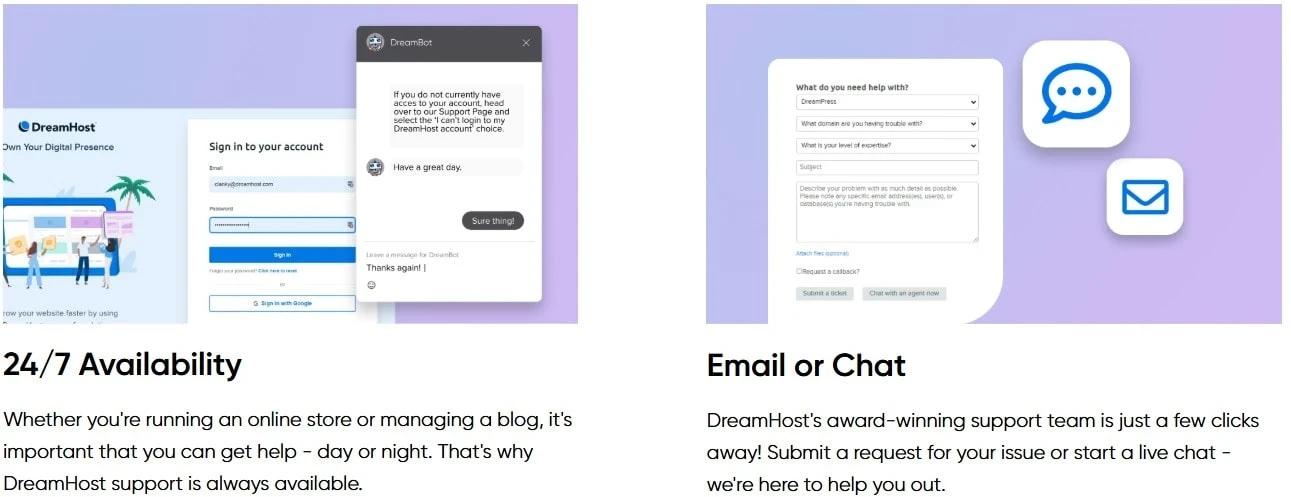
Overview of DreamHost’s support options, as shown on DreamHost.com
Support and Help Options
When it comes to the support, DreamHost offers a few different ways to get help, depending on what you need and which plan you’re on.
The main support channels are live chat and email based support tickets.
There’s also a large knowledge base with guides and walkthroughs that cover the most common issues, plus a community forum where users can help each other out. For many people, the documentation on its own answers a lot of the early questions without needing to contact support directly.
Phone Support and Plan Limitations
Phone support works a little differently.
It isn’t included by default on the lower tier plans and is offered as a paid callback service instead. On the higher level plans, phone support is included. This setup won’t be good for everyone, but it’s worth knowing how it works before you sign up so you don’t face any surprises later on.
Based on user feedback and long term reviews, support responses are generally described as helpful and polite. Most people say they receive clear answers rather than sales talk, although more complex technical issues can sometimes take a bit of back and forth to resolve.
I think that’s fairly normal with hosting support, especially when problems aren’t always straightforward.
For transparency, I also want to mention something separate from customer hosting support.
When I first applied to the DreamHost affiliate program, my application appeared to have been declined. After following up to ask for some clarification, it later turned out that this was caused by a technical issue during the approval process, and the account was approved afterwards.
This situation wasn’t related to hosting support and doesn’t reflect the experience of paying customers, but I felt it was worth mentioning so you get the full picture.
Overall, DreamHost’s support setup should work well for most website owners. If you’re comfortable using live chat, email support, and written guides, you’ll probably find what you need.
If phone support is a service you want from day one, that’s something you’ll need to consider when choosing a plan.
User Feedback and Long Term Reviews
Since I haven’t personally used DreamHost, this part is based entirely on long term user feedback, public reviews, and what customers have consistently been saying over time.
One thing that comes up again and again is how clearly DreamHost handles billing and account management.
Many users mention that the pricing feels straightforward and that they don’t feel pressured into constant upgrades or extra services after they’ve signed up. That on its own seems to be a big reason why people stay with the platform for years.
Support is mentioned often in reviews, and more often than not it’s in a positive light, especially when it comes to getting help with the everyday tasks like email setup or WordPress related issues.
Rather than going into detail again, what stands out most is that users seem to feel supported rather than sold to.
Another point that gets positive attention is what’s included by default.
Things like SSL certificates, backups on certain plans, and WordPress staging tools are often mentioned as being available without unexpected charges. For people running more than one WordPress site, the ability to manage, move, or stage sites without any extra fees seems to be appreciated.
Across different reviews, the same themes seem to repeat.
Stable uptime, consistent performance for US based websites, and a hosting setup that doesn’t rely heavily on aggressive upselling. That steady, predictable experience appears to be what keeps a lot of long term users with DreamHost rather than constantly changing providers.
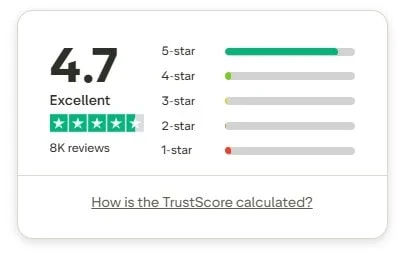
The DreamHost Trustpilot rating at the time of writing. Image taken from Trustpilot.com
Things to Know Before Choosing DreamHost
Before deciding whether DreamHost is the right option for you, there are a few important points that are worth keeping in mind. These aren’t necessarily problems, but they can make a difference depending on how you plan to use your hosting.
- All of DreamHost’s data centres are based in the United States. So if most of your visitors are outside the US, using a content delivery network can help improve your loading times.
- DreamHost doesn’t rely on cPanel and uses its own dashboard for managing sites and settings. Anyone used to cPanel should expect a short learning period while getting familiar with the layout.
- Email hosting isn’t always included permanently on the lower tier plans. It’s important to check what’s included so there are no surprises later on.
- Basic shared hosting plans don’t include built in malware scanning or DDoS protection by default.
- Phone support isn’t included on the entry level plans and works as a paid callback service unless you’re on a higher tier package.
- Websites using non WordPress setups, such as Laravel or Node.js, may require a more hands on setup
None of these points will be an issue for everyone, but taking the time to check the details ahead of time can help you decide whether DreamHost is good for what you’re trying to build.
DreamHost Pricing and What to Be Aware Of
DreamHost doesn’t try to squeeze everything into one package.
Pricing is split across the different plans we have already talked about, and they depend on the type of hosting you choose, and the cost increases as more features and resources are added.
What matters more than the starting price is understanding what’s included and what isn’t.
Some features, such as email hosting or advanced security options, may be included on higher plans but added separately on lower ones. This is where people sometimes get caught out, especially if they don’t check the details.
Another thing worth paying attention to is renewals.
Like most hosting companies, DreamHost often offers lower introductory pricing, with higher rates applying once the initial term ends. This isn’t unusual, but it’s something you should think about if you’re planning to keep a site running long term.
Because prices and offers change, I won’t list exact figures here. The most accurate place to check the current plans, promotions, and renewal details is directly on the official DreamHost pricing page.
Taking a few minutes to review the pricing before signing up can help you avoid surprises later and make sure the plan you choose is what you actually need.
DreamHost’s Reputation and Trust
When it comes to trust, most of what can be seen and judged about DreamHost comes from how long they’ve been around and how people talk about them.
Across public review platforms, DreamHost receives generally positive ratings, with many of its users pointing to clear billing, a good service, and a lack of pushy sales tactics as some of the reasons they’ve stayed with the company for years.
Long term feedback often speaks highly of DreamHost’s consistency, which matters a lot with hosting.
Another thing that helps with trust is transparency.
DreamHost is quite open about how its plans work, where its servers are located, and what is or isn’t included at each level. That makes it easier for people to know what they’re signing up for instead of finding out later through surprise charges or limitations.
Of course, no hosting company can avoid complaints entirely, and DreamHost is no exception to this. But when issues do come up, the overall user feedback suggests they’re usually handled openly rather than just brushed aside.
Overall, DreamHost’s reputation comes from doing what it says it will and sticking with it over the long term.
For many website owners, that reliability plays a big part in whether they trust a hosting provider or not.
DreamHost Pros
- Long established hosting company with a stable track record
- Independent and employee owned rather than part of a large hosting group
- Strong focus on WordPress and WordPress based websites
- Clear hosting plans that are easy to understand and move between
- SSL certificates included without needing to add anything extra
- Built in tools for WordPress on supported plans, such as backups and staging
- Hosting options that allow websites to expand without needing to move providers
- Generally consistent performance for websites aimed at a US audience
Areas Where DreamHost Could Improve
- Email hosting is not included permanently on all entry level plans
- Extra security features such as malware scanning are add-ons on basic packages
- Phone support is limited unless you are on a higher tier plan
- The custom dashboard may take time to get used to for people coming from other hosting panels
- Not the best option for highly customised or non WordPress based setups
Alternatives to DreamHost
DreamHost won’t be a good choice for every website or every situation, and that’s normal with hosting.
Some people may prefer to go with a provider that offers server locations outside the United States, built-in phone support on entry plans, or a different setup for managed WordPress sites. In those cases, it can be a good idea to look at a few other well known hosting companies that operate in those areas.
Some providers such as SiteGround, Bluehost, and A2 Hosting are also mentioned by website owners who want different server locations or a slightly different support structure.
For people who want a more controlled WordPress only environment, WP Engine is another option, although it has a higher price point. Some beginners also look at HostGator if they want a more guided setup from the start.
I wouldn’t suggest jumping between providers without a reason though. Each host has its own structure, pricing, and limits.
The best option usually comes down to what features you actually need, where your visitors are located, and how much control you want over your website.

Frequently Asked Questions – FAQs
DreamHost can work well for beginners, especially for those planning to use WordPress.
The setup process is guided, WordPress is easy to install, and there’s a large help section available to you if you get stuck.
That said, it isn’t built around a drag and drop website builder, so beginners should be comfortable learning as they go rather than having everything done for them automatically.
Email hosting is included on some DreamHost plans but not all of them.
On the lower tier plans, email may be offered as a trial or added separately. The higher tier shared plans usually include email by default
It’s worth checking the plan details carefully before signing up if having email is important to you.
DreamHost operates its servers in the United States, with data centres on both the East and West Coast.
This is good if most of your visitors are based in the US. For visitors in other countries, using a content delivery network can help improve loading times by serving content closer to them.
There isn’t a single answer to that, as DreamHost and Bluehost are built with slightly different priorities in mind.
DreamHost focuses heavily on WordPress, offers a more independent setup, and keeps its plans fairly simple.
Bluehost, on the other hand, is often chosen by beginners who want more guided support from the start. Which one works better usually depends on what features you value the most rather than just the performance claims.
Both Hostinger and DreamHost are good options, but they each appeal to different types of users.
Hostinger is often chosen for the low entry pricing and international server locations. DreamHost is more focused on WordPress users who want a long established provider with room to expand.
The right choice depends on your budget, where your visitors are located, and how much control you want over your hosting.
How I’ve Looked at DreamHost for This Review
I want to be clear with you about how this DreamHost review has been put together.
This review isn’t based on my own long term use of DreamHost. It’s based on me researching how the service is structured, what each hosting option is designed to do, and how it works alongside website setups.
I’ve worked with websites and content for a long time, so I look at hosting from a practical point of view. That means looking at the plan clarity, included features, flexibility, and long term usability rather than just marketing claims.
Everything here is based on public information, user feedback, and how DreamHost runs its service.
Final Thoughts on DreamHost
By this point in the review, you should have a good idea of what DreamHost offers and how it’s set up.
DreamHost has been around for a long time, and most of its reputation comes from how it actually performs. It focuses heavily on WordPress, keeps its hosting structure simple, and doesn’t rely on constant upsells to move people onto higher plans.
For many website owners, that is a big positive.
Just know that it isn’t built to do everything for you, and it won’t be good for every type of project. But for blogs, content sites, service based websites, and WordPress driven projects that need room to expand, it offers a setup that is well established.
Before You Make a Final Decision
As with any hosting provider, the details matter. Things like email, security add ons, server location, and support options are worth looking into carefully before you sign the dotted line.
Doing that upfront will avoid you getting frustrated later on.
My only aim with this review has been to give you a good look at how the service works, who it might be good for, and where it may fall short depending on your needs. I’m not connected to DreamHost in any way, and I’m not writing this to push anyone into a decision.
Everything here is based on research, public information, and the long term user feedback.
If you want to check the plans or current offers directly, you can visit the official DreamHost website and review the details for yourself.
If you still have questions after reading through this, or you’re unsure whether DreamHost is for you, take your time. Hosting is one of those choices that’s easier to get right when the expectations are clear from the start.
Thanks for taking the time to read this DreamHost review. And if you’ve used DreamHost yourself, I’d be interested to hear what your experience has been like.
If you have any questions or comments, feel free to leave them below.
Chris
Quick Summary
DreamHost is a good choice if you want reliable WordPress hosting from a long established, independent company and you’re happy to manage some things yourself as your site grows.
It’s less suitable if you want everything bundled together by default, a permanent email on entry plans, or hands-on phone support from day one.
My Overall Rating For DreamHost Is 4 out of 5
Wealthy Affiliate
This is where my journey into the online world began, and it’s still the community I use for learning, tools, and support while working on my own projects.

About Chris Towers – Follow Me

My name is Chris Towers, and I run Affiliate Pro Solutions. I work with websites, content, and affiliate projects, and this website is where I share what I’ve learned from doing that work.
Most of what I write about comes from researching hosting companies, tools, and platforms that people use when building websites or trying to earn online. I look at how things are set up, what’s included, and where people often get caught out later.
I’m not connected to the companies I review beyond standard affiliate partnerships. This site does include affiliate links, but the aim here is to explain how the services work rather than push anyone into a decision.
You’ll find me on
Other Related Domain Registrar & Hosting Reviews
- DreamHost Review What You Should Know Before Signing Up

- IONOS Hosting Review Plans, Limits, And Renewal Costs
Just to be open with you, this page includes affiliate links. If you click on one of these links and make a purchase, I earn a small commission. There is no extra cost to you at all. This simply helps support the content I share here. Thank you for your support, it really is appreciated.
To be honest, hosting still confuses me a bit. I just want to get a website online, and your DreamHost review helped clear a few things up.
It was also helpful seeing who DreamHost is really aimed at, and who might want to look somewhere else.
One thing I’m still unsure about is the extra costs. If someone is starting out on an entry-level shared plan, what are the main add-ons people usually end up paying for beyond the basic monthly price?
Thanks for your question.
For someone starting on an entry-level shared plan, the main extra cost people usually face is email. On some plans it’s only included for a limited time, then it becomes a paid add-on per mailbox. That’s probably the most common surprise.
Security is another one to be aware of. You do get the basics like free SSL, but things like malware scanning or extra protection aren’t always included on the cheaper plans. Some people add those on, others use WordPress plugins instead.
Apart from that, there usually aren’t lots of hidden costs. It’s just important to check what’s included at the start so you know whether you’ll need extra email or extra security from day one.
Hope this helps.
Chris
I’m looking at moving my site to a new host at the moment, and your DreamHost review was helpful. It was interesting to read about their background and why they’re often recommended for WordPress. That helped me put some things into context.
My main concern is WooCommerce though. I’ve read that shared hosting can be a bit limiting for stores once traffic picks up, so I’m trying to figure out what level of hosting I actually need.
From what you’ve seen while researching, how does DreamHost generally perform with WooCommerce sites, especially when traffic increases? Just trying to avoid moving hosts again later on.
Thanks for the comment.
WooCommerce is heavier than a normal blog, so the plan you choose is important. From what I’ve seen while researching DreamHost, small WooCommerce stores can work fine on shared hosting at the start, but once traffic or product numbers grow, that’s usually where the limits start to show up.
Most store owners seem to get better results on the higher tier WordPress plans or DreamPress, and this is because of the extra resources and built-in caching. For bigger or busier stores, VPS would be the safer option to avoid performance issues during traffic spikes.
So DreamHost can work well for WooCommerce, but I wouldn’t recommend sticking to entry-level shared hosting for long if the store is growing. Choose a plan with room to expand to save you having to move hosts again later.
Chris