

Topic – Autoresponder Companies
Post Reading Time – 35 Minutes
If you’ve ever tried to send bulk emails from a website or an online business, you’ll know how quickly things can go wrong. The messages don’t seem to arrive, inboxes block them, or your important emails just disappear without you realising. That’s usually when programs like SendGrid step in.
This SendGrid Email Service Review which I’ve prepared for you is here to answer a simple question people often ask at that point. Can SendGrid actually be trusted to send important emails reliably, or is it just another platform that looks good but causes stress once you start to depend on it?
Here, I’m going to talk to you about what SendGrid is built to do, how people usually end up using it, and where things can get frustrating once website traffic starts to be involved. I’ll cover the setup, delivery expectations, plan limits, and the areas that seem to cause problems after emails start going out in large quantities.
If email delivery matters to your business, this is worth reading before you commit to it. You can also take a look at the official SendGrid website here if you want to see more of their details and current payment plans.
Summarize This Content Using AI
TL;DR
SendGrid email service review
This review looks at how SendGrid’s email service works, what features it offers, and how it performs in everyday use. It covers things like the deliverability, the tools included, and the setup, so you get a good idea of what you’re signing up for. This will help you decide if SendGrid is what you need for your email campaigns.
A Quick Summary of SendGrid Email Service
This section is meant to give you a better idea of what SendGrid is and why people end up looking at it in the first place.
- Product name – SendGrid. It’s an email service used for sending system emails and marketing messages.
- Type of service – It offers an Email API, SMTP relay, and built-in tools for sending campaigns and basic automation.
- Who it’s for – It’s mainly aimed at SaaS companies, online stores, apps, startups, and businesses that send a lot of emails every month.
- Common uses – Things like order confirmations, password resets, account alerts, onboarding emails, newsletters, and shipping updates.
- Pricing setup – Plans are based on how many emails you send and which features you need. There’s a free option that lets you test things out before paying for anything. The free plan is limited to 60 days.
- Sending infrastructure – SendGrid runs on its own mail transfer system that’s designed to cope when email volume suddenly increases.
- Upgrades and extras – Higher plans unlock things like dedicated IP addresses, email validation, and more detailed controls.

Screenshot showing SendGrid’s getting started and onboarding section, with promotional elements removed
What the SendGrid Email Service Tries to Solve
SendGrid exists for one main reason.
Sending important emails sounds simple enough, but once traffic volume increases, it’s usually where things start to go wrong. Some messages can arrive late, land in a spam folder, or just fail completely. That becomes a big problem when those emails are things people are waiting for, like password resets, receipts, or account notifications.
Reliable email delivery usually becomes important once a blog or website starts to grow and generate income.
The platform is mainly built for teams that need their emails to arrive quickly and consistently, even when the traffic levels suddenly increase. That usually means people such as developers, who rely on email as part of how their website or app functions day to day.
When emails don’t arrive, users get confused, support tickets pile up, and trust starts to be questioned.
SendGrid is often used for two broad purposes.
The first is transactional email. This covers messages triggered by actions on a website or app, such as signups, password changes, order confirmations, or system alerts. These are usually sent through the API or SMTP relay and are expected to arrive almost instantly.
The second area is marketing email. This includes newsletters, onboarding emails, announcements, and other planned sends.
SendGrid includes the tools for building campaigns, scheduling messages, handling contact lists, and sending basic automated emails tied to simple triggers.
Together, these two areas allow businesses to handle the day to day system messages and larger email sends from the same platform. This is good for companies running user accounts, online stores, automated systems, or regular email communication with their audience.
Inside the SendGrid Email Service Platform
The Delivery Workflow And How You Actually Send Emails
SendGrid gives you two main ways to send emails and how you use it depends on how your website or app is built.
Most modern apps and websites use SendGrid through its API. This means that emails are sent directly from the system at the moment something happens. So if a user resets a password, signs up to something, or places an order, the email goes out straight away.
This gives you speed and proper tracking, and it’s what most of the larger sites rely on once their traffic starts to grow.
There’s also the option to send emails using SMTP. This will be more familiar if you’ve used traditional hosting email before. You point your outgoing mail to SendGrid’s SMTP details and authenticate with your account.
It’s quicker to set up and it works fine for the more simple setups or older systems, especially if you’re moving away from shared hosting email.
Both ways do the same job, but they’re for different situations.
The API gives you more control and better insight once your email volume increases. SMTP is more of a bridge for basic setups or older platforms that aren’t built around direct integrations.
Onboarding and setup. What you need to know
Getting SendGrid working takes a little bit of preparation before emails start sending properly. The setup stage plays quite a big role in how well your messages are delivered, especially once your traffic begins to increase.
One of the first things you’ll need to take care of is the domain authentication. This involves adding a few records to your domain settings so email providers can see that you’re allowed to send from that address.
SendGrid guides you through the process, but you’ll need access to your domain’s DNS settings to complete it.
As part of this, you’ll also be asked to add records linked to SPF and DKIM. These are standard checks used by inbox providers to confirm the emails are coming from a trusted source. If DNS is something new to you, this part can feel confusing at first.
Once you locate the right area in your hosting panel, it usually doesn’t take long to add what’s needed.
New accounts send email using shared IP addresses. This means your messages go out from the same pool as other SendGrid users. On the higher plans, you can move to a dedicated IP, which puts your sending reputation under your own control.
This is something to consider further as your email volume grows.
Most of the setup time is spent adding these records and waiting for everything to verify. Until that’s finished, delivery can be unreliable and some inboxes may block messages.
Once the verification is complete, email delivery is usually far more consistent.

Example of SendGrid’s email campaign editor layout, showing how content blocks and images are arranged
SendGrid’s Mail Delivery Infrastructure
When email volume starts to grow, the way messages are sent and handled becomes far more important. This is one of the areas where SendGrid puts most of its effort.
- SendGrid runs its own mail transfer system rather than relying on basic relays or third-party services. This controls how emails are queued, retried, and pushed out to inbox providers, which helps your messages go out quickly even during those busy periods.
- The infrastructure is built to cope with sudden spikes in sending. If a website sends a large batch of emails all at once, such as account alerts or order updates, the system is designed to handle that load without slowing down or failing.
- The backend is managed for you. Things like queue handling, bounce processing, IP pool health, and compliance checks are handled automatically, so you don’t need to manually adjust send limits or monitor the server behaviour.
- On lower plans, emails are sent through shared IP addresses. These are managed and rotated by SendGrid to reduce problems caused by spam or abuse. As the sending volume increases, the higher plans allow you to move to dedicated IP addresses that are used only by your account.
Moving to a dedicated IP gives you more control over your sending reputation, but it also comes with extra responsibility around warming and ongoing monitoring.
For smaller or growing websites, shared IPs usually work quite well early on, but delivery issues can appear once the email volume increases.
Shared IPs and Dedicated IPs Explained
When you first start sending emails through SendGrid, messages are sent from shared IP addresses. This means your emails go out alongside messages from other SendGrid users. For smaller senders, this isn’t usually an issue. As long as your lists are clean and you’re not doing anything risky, delivery is generally good.
The downside with shared IPs is that you’re not fully in control.
If another sender on the same IP sends poor-quality mail or triggers spam complaints, it can affect how inbox providers treat emails coming from that IP. It doesn’t happen all the time, but it’s something to be aware of as your volume increases.
On the higher plans, SendGrid gives you the option to move to a dedicated IP address. This IP is used only by your account, which means your sending reputation is based entirely on your own behaviour. That gives you more control, but it also puts more responsibility on you to keep things in a good order.
One important part of using a dedicated IP is warming it up.
This means slowly increasing the number of emails you send each day so inbox providers can build trust in that IP. Jumping straight from zero to high volumes can often lead to blocks or spam filtering. The process takes a little bit of time and patience, and it’s something you need to plan for if you go down this road.
As mentioned earlier, for many smaller or growing websites, shared IPs are perfectly fine in the early stages. As email volume increases and delivery starts to matter more, moving to a dedicated IP becomes more relevant, especially if your business relies on emails arriving on time.
Email Deliverability and Where Messages End Up
SendGrid’s delivery performs really well when things are set up properly and email lists are kept clean. Where your emails actually land depends on a few factors, and most delivery problems usually trace back to one of them.
The correct setup matters more than people think. Missing DNS records, skipped authentication steps, or verification steps left unfinished can cause emails to be filtered or blocked before they even reach an inbox. This is often where the early delivery issues come from.
Sending behaviour also plays a part. Sudden jumps in volume or sending to large numbers of inactive or invalid addresses can trigger filters. Inbox providers are cautious when they see unusual patterns, especially from newer sending domains.
Spam complaints are another thing to watch out for. If too many people mark your emails as spam, your sending reputation drops quickly. When that happens, delivery problems can appear almost straight away.
Bounce rates are closely monitored as well. A high number of bounced emails is usually taken as a warning sign, and SendGrid keeps track of this for you. So, keeping lists up to date and removing bad addresses helps you to avoid trouble here.
Even when everything is done properly, inbox placement can still vary.
Some emails may land in secondary tabs rather than the main inbox, especially with larger providers. Transactional messages usually fare better because they are expected and tend to be more simple in layout.
If you’re using shared IPs, delivery can also be influenced by other senders in the same pool. If problems occur elsewhere, messages may slow down or bounce temporarily.
Moving to a dedicated IP gives you more control over this, but it also means you need to stay on top of quality levels yourself.
Deliverability and Compliance Tools
SendGrid includes a set of tools that keep email delivery stable and help prevent problems before they grow into bigger issues. These tools work in the background, but they play a big role once emails are being sent regularly.
There are built-in checks that look for common spam triggers inside your messages. These won’t guarantee inbox placement, but they can highlight obvious issues before emails are sent. On the higher plans, SendGrid also offers list validation, which helps catch fake or broken email addresses before they start affecting delivery.
Bounce handling and complaint tracking are also part of the dashboard. You can see when emails fail to deliver, whether they bounce temporarily or permanently, and when recipients mark messages as spam.
This is good for seeing patterns early rather than finding out after the delivery drops.
SendGrid also tracks a sender reputation score, which gives you a general idea of how inbox providers are responding to your sending behaviour.
If things start moving in the wrong direction, it can act as an early warning before emails begin getting filtered or blocked.
Most of the basic monitoring tools are available on lower plans, but the more detailed validation and compliance features are only available once you move up a tier.
For businesses sending higher volumes of email, those extra checks can help reduce delivery problems before they turn into serious interruptions.
Email Automation and Marketing Tools
SendGrid covers automation in a fairly simple way, with most of the focus on emails that are triggered by actions on a website or app.
- Transactional emails are where SendGrid is used most often. These are messages sent when something happens, such as a user signing up, resetting a password, placing an order, or receiving an account update. These emails are usually sent through the API and are expected to arrive almost immediately.
- There are also tools for basic marketing automation. You can set up welcome emails, simple follow-up messages, and scheduled newsletters without that much difficulty. These work fine for regular communication, but they stay fairly simple in structure.
- Contact grouping and timing controls improve as you move onto the higher plans. This gives you more control over when messages are sent and who receives them, but the automation still stays fairly linear and predictable.
- SendGrid keeps automation fairly simple. It’s fine for straightforward email flows, but it isn’t designed for long or highly detailed sequences.
Most people end up using SendGrid for system emails and basic marketing messages. It’s set up around emails that need to go out when something happens on a website or an app.
Email Design and Editing Experience
SendGrid gives you a few different ways to create your emails, depending on how much control you want over the layout and structure.
There’s a built-in editor that lets you put together basic promotional emails without touching any code. This is good for simple announcements or updates, but it’s fairly limited. You’re working with standard blocks, and there isn’t much room to move beyond that.
For anyone comfortable working with code, there’s also an HTML editor.
With HTML, you can build templates from scratch, keep your emails lightweight, and avoid any unnecessary formatting. This is good for transactional emails where speed and reliability are more important than visuals.
SendGrid also provides a library of pre-made templates.
These cover the common situations like receipts, confirmations, and account notifications. They’re basic, but they work and get the job done.
You can add simple personal details like names into emails. It works for basic setups, but it doesn’t get very detailed. Contact grouping follows the same pattern and relies on whatever data you already have.
If you’re looking to create heavily customised layouts or emails that change a lot depending on user behaviour, that usually involves extra work through the API. The built-in tools are suitable for everyday email needs, but they aren’t designed for complex or highly visual designs.
Analytics and Reporting
SendGrid gives you a good overall view of what’s happening once your emails start going out. You can see how many messages are sent, delivered, opened, clicked, bounced, or marked as spam, and this is available at both the campaign level and the individual message level.
There’s also reporting around where your emails are being opened and what devices people are using. This can help you to see patterns, especially if any delivery issues show up in certain regions or on certain platforms.
Another useful part is the provider-level reporting. You can see how emails perform across the major inbox providers, which makes it easier to notice if delivery drops with one provider while everything else looks fine.
How much history you can access depends on the plan you’re on. The lower tiers keep a shorter log, while the higher plans store more detailed data for longer periods of time. This is good if you need to look back at delivery behaviour or troubleshoot issues that didn’t show up straight away.
The reporting itself is fairly technical in how it’s presented though. It offers information more based on numbers and logs rather than visual charts. That can be good for people who want detail and accuracy, but it may feel a bit confusing if you’re used to more visual dashboards.
That said, the data updates quickly and gives you a reliable idea of what’s happening without too much delay, which is good for when email delivery plays a direct role in how a website or app operates.
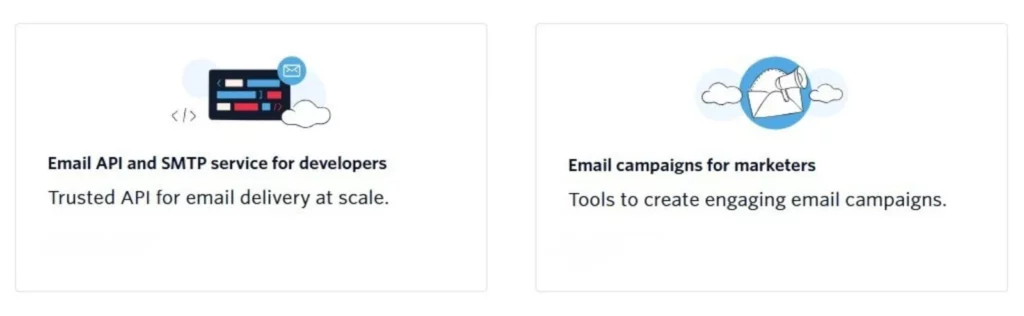
Visual summary of SendGrid’s core services for developers and marketing teams, as shown on SendGrid.com
Integrations, Automation, and APIs
SendGrid is designed to work alongside other systems rather than operate on its own. Most people using it rely on integrations or direct connections rather than doing everything inside the dashboard.
- SendGrid gives you access to its API on all of the plans. This allows websites and apps to send emails directly when something happens, such as a signup, purchase, or an account update. There are examples available for most common programming languages, which makes the setup easier if you’re working with developers.
- If you don’t want to build everything yourself, SendGrid also connects with automation tools like Zapier. This makes it possible to link email sending to other services, such as CRMs, billing tools, helpdesk systems, or online stores, without having to write any code.
- Webhooks are available for tracking what happens after emails are sent. These can pass data like opens, clicks, bounces, or complaints back into your own systems. This is good if you want your email activity to show up inside your own reports or dashboards.
For websites and apps that rely on email to function properly, SendGrid is easy to connect and use. Once it’s connected, emails can be sent and tracked, and most automated processes work as expected.
SendGrid Email Service Pricing and Plan Details
SendGrid uses volume-based pricing, which basically means what you pay depends on how many emails you send and which features you need access to.
Instead of one fixed plan, the pricing scales as your requirements increase. A few things are worth knowing before you look at the prices.
- Email volume comes first
Most plans are built around how many emails you send each month. As your sending increases, you move into higher tiers with different limits and features. - Transactional and marketing plans are separate
System emails sent through the API and marketing emails sent through campaigns are priced differently. This helps if you only need one type, but it can catch people out if they expect everything to be under one plan. - There is a free option
SendGrid offers a free plan for 60 days that allows limited sending. It’s good for testing your setup and basic delivery, but the limits are quite tight and it’s not designed for long-term use. - Features unlock as you move up
Things like dedicated IP addresses, longer log history, email validation, and more controls only become available on the higher plans. Lower tiers are mainly for basic sending and monitoring. - Costs rise as email becomes more central
As email becomes more central to how a website or app runs, moving to the higher plans is usually necessary, and the monthly costs increase as a result. - Pricing has changed before
SendGrid has adjusted its pricing structure in the past. Because of this, it’s better to check the current plans directly rather than relying on fixed figures in a review.
I’ve avoided listing exact prices here, as they do change from time to time. You can find the most up-to-date plans and limits on the official SendGrid pricing page.
Customer Support and Reliability
Support and reliability are the areas where people seem to have mixed experiences with SendGrid, and a lot of that comes down to which plan you’re on and how important email is to your business.
- Support depends on your plan
Access to support is tied directly to your subscription level. On the free plan, help is limited to support tickets, and replies can take some time. As you move up the plans, live chat becomes available, and the highest tiers include phone support with faster response times. - Documentation is strong
One thing SendGrid does very well is documentation. The help guides and API references cover a lot of ground and go into detail, including the setup steps, common errors, and troubleshooting. If you’re comfortable reading documentation and following technical instructions, most questions can be answered without needing to contact support. - Account checks and compliance reviews
SendGrid runs compliance checks, especially when accounts start sending more email or add new IP addresses. These reviews can slow things down during setup or scaling, but they’re part of how SendGrid tries to keep its sending environment under control. - Account suspensions can happen
If sending patterns suddenly change, bounce rates rise, or complaints increase, accounts can be paused automatically. When this happens, the explanation is usually brief, and getting a full resolution can take some time. If your business depends on emails being sent immediately, this is something to be aware of and plan ahead for.
Overall, SendGrid is reliable when things are nice and stable, but the delays with support or account reviews can be more disruptive once email is central to how a website or app works.
A note on public reviews
SendGrid has a very low public rating on review platforms such as Trustpilot, where many users have reported their frustration around account suspensions, support response times, and billing issues.
Most of these complaints appear to come from situations where accounts were flagged during the setup or scaling, or where users were on the lower plans with limited access to support. These are the same areas where SendGrid is known to be quite strict and less forgiving.
This doesn’t mean the email delivery itself is unreliable, but it does highlight how important it is to understand SendGrid’s compliance rules and support structure before relying on it for a business that depends heavily on email.
SendGrid Email Service Interface and Learning Curve
The SendGrid dashboard gives you access to a lot of information pretty much straight away. There are logs, delivery stats, setup options, alerts, and configuration settings all in one place. For people who are used to working with technical tools, this is usually seen as a positive because everything you need is visible and accessible.
For anyone without a technical background, it can feel confusing at first.
The interface focuses much more on data and control rather than guiding you step by step. You won’t find a simple flow where you upload a list, choose a template, and send an email without seeing a lot of other options along the way.
Most of the screens are built around delivery behaviour, errors, and system-level settings. That’s really good if you care about what’s happening behind the scenes, but it can slow you down if you’re only interested in sending a quick campaign.
If you’ve worked with DNS, APIs, or email configuration before, SendGrid will feel a lot less confusing. With that kind of experience, the dashboard gives you a lot of control and visibility.
Without it, there is a learning curve. It’s not impossible to use, but it does take time to understand where everything goes and what actually matters for your setup.

Overview of how SendGrid presents deliverability, scalability, and support on its website.
When the SendGrid Email Service Is a Good Choice
SendGrid is usually chosen by businesses and websites where email plays a direct role in how things operate day to day. This includes software platforms, online stores, larger websites, and apps that rely on emails being sent the moment something happens, such as account updates, signups, or order activity.
It’s good for situations where the email volume isn’t small and where sending needs can change quickly. Once a website starts sending thousands of emails each month, or traffic begins to rise unexpectedly, having control over delivery behaviour, tracking, and sending patterns is more important.
That’s the sort of situation SendGrid is usually used in.
It’s also commonly used by teams that want their email system to connect closely with the rest of their setup. Instead of treating email as a separate tool, SendGrid is often wired directly into websites, apps, and internal systems so messages are triggered automatically as users interact with them.
On the other hand, SendGrid may not be the easiest place to start if you’re only sending out occasional newsletters, you have a very small contact list, or don’t want to spend time dealing with setup tasks like DNS or technical configuration.
In those cases, the amount of control SendGrid offers can feel a little bit unnecessary.
SendGrid is usually used when email delivery is something a business relies on every day.
What SendGrid Is Not Designed For
SendGrid isn’t aimed at everyone, and that’s worth me being clear about.
It’s not good for people who just want to send the occasional newsletter with as little setup as possible. If the idea of dealing with domain records, authentication, or delivery settings already feels like too much, there are other email tools that will be easier.
It’s also not built for design-first marketing. While you can create promotional emails, the tools are more for delivery and control rather than visual layouts. If your goal is building highly styled campaigns with lots of design options and minimal technical involvement, SendGrid can be limiting.
SendGrid also isn’t ideal for very small projects that only send a handful of emails each month. The setup time and structure tend to be better once email becomes part of how a website or app actually functions, not just something you use now and then.
In short, SendGrid is designed for sending emails reliably when timing and delivery matter, and that comes with more responsibility on the user side.
Pros of Using SendGrid
- Can handle large volumes of email without problems when traffic spikes
- API access makes it good for sending emails triggered by actions on a website or app
- Built to handle transactional emails like password resets, receipts, and account updates
- Delivery data is available quickly, including sends, opens, bounces, and complaints
- Domain authentication and sending controls help keep delivery more predictable
- Connects with a wide range of other tools and systems through integrations
- Documentation is detailed and useful when setting things up or fixing issues
- List checks and delivery monitoring are available once you move onto higher plans
- Plans can be adjusted as email volume grows rather than being locked into one fixed setup
Things to Watch Out for Before You Sign Up
- Costs can be a little high if you’re only sending small volumes of email
- Compliance checks are strict, and accounts can be paused if sending patterns change suddenly
- Support speed depends on the plan you’re on, with faster help reserved for the higher tiers
- The dashboard takes time to understand if you’re not used to technical tools
- Shared IPs mean your delivery can be affected by other senders in the same pool
- Built-in design tools are basic and won’t suit everyone
- More detailed automation and targeting options sit behind higher-priced plans
Most of this isn’t a problem as long as you understand what SendGrid is built for. It gives you control, but it also means you need to pay attention as your sending levels increase.
Overall Reliability and Trust
When SendGrid is set up properly, email delivery is generally very dependable.
Messages are usually sent quickly, bounce levels stay under control, and the reporting reflects what’s actually happening with your emails. A lot of this comes down to getting the domain setup right from the start and keeping an eye on the sending behaviour as the email volume grows.
For businesses where emails are tied directly to user actions, such as account access, orders, or system updates, reliability is important. Missed or delayed emails cause inconvenience and can lead to confusion, lost trust, or support issues.
This isn’t a platform where you can ignore email delivery once everything is up and running. It expects some involvement around the setup, monitoring, and ongoing maintenance. Smaller senders or beginners may find that side of things a little bit demanding.
If email delivery is something your business depends on and you’re willing to stay involved with how it’s handled, SendGrid is generally seen as a dependable option once everything is in place.
Is SendGrid Worth It?
If email is important for how your website or app works, SendGrid is worth taking a serious look at.
It’s designed for situations where emails need to be sent reliably and at scale, especially when messages are tied to user actions like account access, orders, or system updates.
This isn’t a platform aimed at small hobby sites or low-volume sending. The setup takes time, and there’s a learning curve that comes with it. For businesses that grow beyond the basic email tools and start to depend on delivery behaving properly, SendGrid can solve problems that the more simple platforms struggle with.
A good way to approach it is to start small. Use the free plan or a lower tier, set up your domain properly, send some test emails, and see how the delivery behaves in your own situation. Once your email volume increases or delivery becomes more important, moving up the plans usually becomes the next step.
If email reliability matters to your business and you’re willing to stay involved with how it’s handled, SendGrid can be a good option for the long term.

Frequently Asked Questions – FAQs
Yes, SendGrid is generally considered safe to use, especially for businesses that depend on email for signups, account access, or system notifications.
From a practical point of view, SendGrid puts a lot of emphasis on protecting email data and controlling how messages are sent out. Things like encryption, account controls, and monitoring are built into the platform. That said, safety also depends on how well the account is set up. If domain authentication is skipped or sending behaviour is sloppy, problems can still happen.
So while the platform itself is secure, it still expects the user to take email setup and list quality seriously.
SendGrid made changes to its free plans.
The free Email API and Marketing Campaigns plans were reduced and eventually phased out. Accounts that stayed on the free tier without upgrading lost the ability to send emails once the transition period ended.
This caused confusion for some users, especially smaller projects that relied on the free allowance. The takeaway here is that SendGrid has moved more firmly towards paid usage, even at lower volumes.
If you’re considering SendGrid now, it’s important to assume that long-term use will involve a paid plan rather than relying on a permanent free option.
SendGrid can be used by beginners, but it’s not the easiest place to start.
If someone is brand new to email sending, the setup can feel too much. Things like DNS records, authentication, and delivery settings take time to understand. That’s mostly where beginners struggle, not with sending emails, but with getting everything configured correctly.
Once it’s set up, SendGrid does provide clear reporting around bounces and delivery, which helps people learn how email behaves. But if the goal is to send a few newsletters with minimal setup, other tools feel easier early on.
SendGrid makes more sense once email starts playing a bigger role in how a website or app works.
Reputation in SendGrid refers to how inbox providers view your email sending behaviour.
It’s influenced by things like how often people open your emails, how many bounce, how many get marked as spam, and how consistent your sending patterns are. A good reputation helps emails land where they should. A poor one increases the chance of filtering or blocking.
SendGrid tracks this internally and shows signals inside the dashboard. It’s not something you set manually. It’s built up through how you send emails and how recipients react to them.
Keeping lists clean and sending only what people expect makes the biggest difference here.
SendGrid is very good at what it’s mainly designed for, sending emails reliably at scale.
It’s widely used for transactional emails like password resets, receipts, and system alerts, where speed and delivery matter more than the design. The API is reliable, reporting is detailed, and delivery behaviour is predictable once things are configured properly.
Where people seem to struggle is not with delivery itself, but with setup, pricing expectations, or account controls when the volumes change suddenly.
For businesses that depend on email behaving properly, SendGrid has earned its place. It’s not a casual tool, but for serious sending needs, it’s a dependable one.
How I Approached This SendGrid Review
Before finishing this review, it’s worth me being clear about how it was put together.
I haven’t used SendGrid directly on my own projects. This review is based on studying how the platform is set up, what it’s designed to handle, and how it’s commonly used across websites, apps, and online businesses that depend on email delivery.
I’ve looked at how SendGrid works in practice rather than just repeating sales claims. That includes looking at its features, setup requirements, delivery behaviour, documentation, pricing structure, and the kinds of problems people run into once their email volume increases.
I’ve worked with websites and online tools long enough to know that not every platform suits every single situation. This review shows where SendGrid is usually a good choice, where it can be more demanding, and the type of business it’s usually built for.
Everything here is based on publicly available information, user feedback, and how SendGrid is usually used in practice.
What I’d Like to See Improved in SendGrid
There are a few areas where SendGrid could be a bit easier to work with, especially for those people who don’t come from a technical background.
The email templates are one of them. They cover the basics and are fine for system messages, but they feel quite dated when it comes to marketing emails. For anyone who cares about things like layout or presentation, it often means doing extra work elsewhere before bringing designs into SendGrid.
The reporting could also be a bit more clear for non-technical users. The data itself is useful, but it’s presented in a very technical way. More visual reporting options would make it easier for people to understand what’s happening at a glance without going through logs and numbers.
Account reviews and suspensions are another area that could be handled better. When something gets flagged, the explanation is often brief, and responses can take time. For businesses that depend on email for signups or system messages, that waiting period can be stressful.
On their own, these points usually won’t stop someone from using SendGrid. They’re more about usability and communication rather than delivery itself.
From what I’ve seen, SendGrid does the job it’s built for very well, but these are areas where the experience could be a little better for a wider range of users.
Other Email Delivery Platforms to Consider
There are a few other email services that people often look at alongside SendGrid, depending on how their website or app is set up.
- Mailgun – Often used for transactional email and system messages. It’s built around API sending and is commonly used by developers. Pricing and account controls are structured differently, so the experience can feel quite different depending on volume.
- Amazon SES – Usually chosen for cost reasons once sending volume becomes very high. It requires a more manual setup and ongoing management, including warming and monitoring. It’s not something most people choose for convenience.
- Postmark – Focuses mainly on transactional email. It’s known for clear logs and fast delivery, but it’s not aimed at large marketing sends or bulk newsletters.
- Mailchimp, Brevo, ConvertKit – These platforms are often chosen earlier on for newsletters and simple campaigns. They’re easier to get started with, but the costs can rise as sending volume or automation needs increase.
It’s worth spending some time looking at more than one option before making a commitment. How much setup you’re comfortable with, how important delivery control is, and how central email is to your business all play a part in deciding which direction you should take.
Final Thoughts On SendGrid
If your website or app relies on emails being sent at the right time, SendGrid is built for that kind of job. It’s used most often where emails are tied directly to user actions, system messages, or ongoing activity that can’t afford delays.
It does expect some involvement. The setup, monitoring, and delivery side of things matter more here than with the more basic tools. For smaller projects, that can feel like extra work.
For businesses where email delivery is part of how everything runs, that level of control is usually the point.
Thanks for reading my SendGrid Email Service Review. If you’d like to see the current pricing plans or how everything is structured, you can visit SendGrid’s official website for the latest details.
If you have any questions or you want to share your own experience, feel free to leave a comment below.
Chris
Quick Summary
SendGrid is a good option if your website or app depends on emails being sent reliably, especially for things like account messages, orders, and system notifications.
It’s less suitable if you only want to send the occasional newsletter or you prefer tools with minimal setup and technical steps.
My Overall Rating For SendGrid Is 4 out of 5
Wealthy Affiliate
This is where my journey into the online world began, and it’s still the community I use for learning, tools, and support while working on my own projects.

About Chris Towers – Follow Me

My name is Chris Towers, and I run Affiliate Pro Solutions. I work with websites, content, and affiliate projects, and this website is where I share what I’ve learned from doing that work.
Most of what I write about comes from researching hosting companies, tools, and platforms that people use when building websites or trying to earn online. I look at how things are set up, what’s included, and where people often get caught out later.
I’m not connected to the companies I review beyond standard affiliate partnerships. This site does include affiliate links, but the aim here is to explain how the services work rather than push anyone into a decision.
You’ll find me on
Just to be open with you, this page includes affiliate links. If you click on one of these links and make a purchase, I earn a small commission. There is no extra cost to you at all. This simply helps support the content I share here. Thank you for your support, it really is appreciated.
Great review, Chris. I agree that SendGrid is clearly built for businesses that rely on email delivery for important system messages, not just casual newsletters.
The setup and DNS authentication can be a bit technical, but that’s the price for reliable delivery at scale. For small projects, it’s probably overkill, but for SaaS or eCommerce, it’s hard to beat.
Thanks Monica.
Yes, that’s pretty much how I see it. It’s a good choice once email becomes part of how a website actually works, not just something sent now and then.
Glad you enjoyed the review.
Chris
A good review thanks, but I was curious if SendGrid has added anything around accessibility in recent updates.
For example, does the email editor warn you about things like animated GIFs or flashing content that could cause issues for some readers, or is that something you still need to manage yourself before sending the emails?
Good question.
From what I’ve seen, SendGrid doesn’t flag accessibility issues like flashing GIFs or animations in the editor. It’s more aimed at delivery and compliance rather than checking content.
So if that’s something you’re concerned about, it’s still best to handle it yourself before sending and keep any animations to a minimum.
Thanks for reading!