
Topic – Website Builders
Post Reading Time – 27 Minutes
Starting a website can feel like hard work even before you’ve written a single word on the page. Some website builders can confuse you almost straight away. Too many settings, too many design choices, and too many little things that can leave a beginner wondering what they’ve done, how to fix it, and what to do next.
That’s one of the reasons Weebly gets mentioned so often. It’s aimed at people who want to get a website online without having to worry about things like coding or using a builder that feels difficult from the start. In this Weebly Review For Beginners, I’m looking at whether it still deserves its reputation as a beginner-friendly website builder, and what its limits are once you look a bit closer. The short version is that Weebly is still easy to use for beginners, but it starts to feel limited once you want more control or room to grow.
In this review, I’ll go through what Weebly offers, where things are easy, where it can feel a bit restrictive, and who it may be best for. If you’re trying to choose a website builder and don’t want to waste time on the wrong one, this review should help.
You can check out Weebly’s official website for yourself here and see what’s on offer.
Summarize This Content Using AI
TL;DR
Weebly Review For Beginners
This review looks at what Weebly offers today, what it is like to build a site with it, and who it is best for. It covers the builder, templates, blogging tools, and store features, plus what you can and cannot change once your site starts growing. It also explains the main limits around design control, SEO options, and how far the platform can go before you start feeling boxed in. That gives you an idea of whether Weebly is enough for a simple website, or if you should start on something with more room from day one.
A Quick Summary of Weebly Website Builder
- Product Name – Weebly
- What Square is – Square is the company behind payment processing, point of sale systems, and online selling tools. Since Weebly is part of Square, this mainly matters if you want to sell products or already use Square for payments.
- Who it may suit – Weebly is mainly for beginners, small business owners, people building a portfolio, anyone starting a simple online store, and Square users who want everything under one account. It’s more suited to people with smaller websites and simple projects rather than anything large or heavily customised.
- What you get – The main features include a drag and drop builder, theme switching, blogging tools, store features for physical and digital products, basic SEO settings, simple marketing tools, and an app centre for extra functions. The main appeal is that it gives beginners enough to get started without getting confused.
- Pricing – Weebly has a free plan, along with paid plans for personal and business use. The free version is limited, so most people who want a custom domain or stronger store features will probably end up looking at one of the paid options instead.
- Support – Support includes a help centre, community forum, email support, live chat, and phone support on some higher plans. The level of help you get depends on the plan you choose, so that’s something worth checking before signing up.
- Where it’s strongest – Weebly is best for people who want an easier setup, simple editing, and a website they can get up and running without too much stress. It can also be a good option for anyone already using Square, especially if selling online is part of the plan.
My quick take on Weebly
Weebly is still a decent website builder for beginners who want a small business website, simple blog, or smaller online store. It is easy to use, and the Square connection may be helpful if selling online is part of your plan. But if you want more design freedom, stronger blogging tools, or more room to grow, you may outgrow it sooner than you expect.
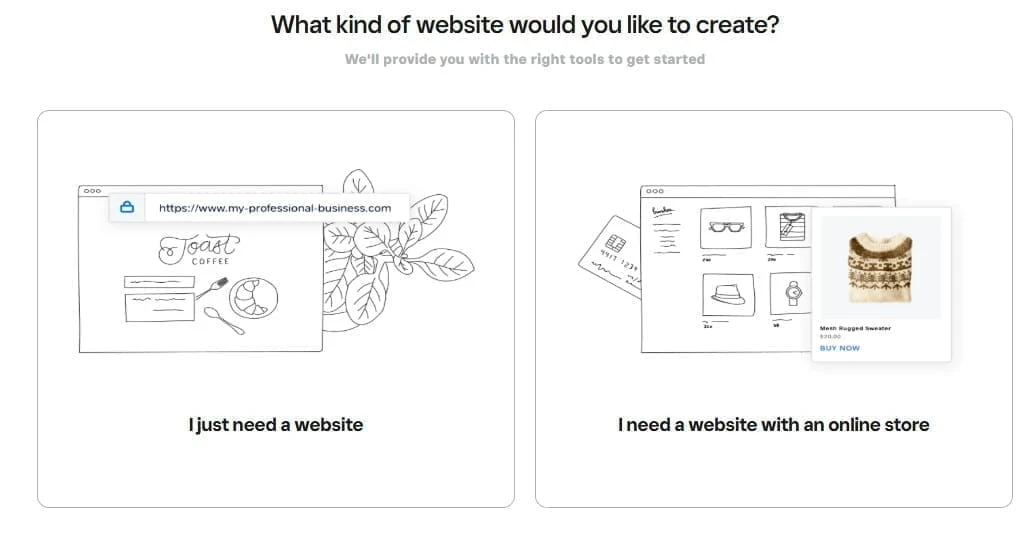
Weebly gives users a choice between building a standard website or creating a site with an online store.
Getting Started With Weebly For Beginners
One of the main things that draws people to Weebly is how easy it is to get started. The builder uses a drag and drop system with a structured layout, so content stays in place instead of ending up all over the page. For beginners, that can take away a lot of the stress, because you don’t have to spend time trying to work out where things have gone or how to put them back again.
Everything is added in clear content blocks, such as text, images, buttons, and videos. You choose what you want, place it on the page, and Weebly keeps it all neatly arranged.
This helps to give the website a tidy look without you needing to have design experience. It also helps with navigation inside the builder itself, because pages and menus are clearly labelled, which makes the whole thing easier to follow from the start.
Why Weebly Appeals To Beginners
Weebly is generally aimed at people who want to build a website without having to learn lots of technical details first. You can put together a basic business website, portfolio, restaurant page, landing page, or simple online store quite easily. It’s built for beginners who just want to get a site online quickly.
Adding new pages and changing your navigation is also simple. You can do it from the side menu, add the content you want, and the builder keeps the layout in order as you go. That can be reassuring for beginners who are worried about clicking the wrong thing or messing up the structure of the site.
Design Limits In Weebly
Weebly keeps things structured, and that’s part of why beginners find it easy to use. The layout system is built around content blocks and a fixed grid, so you can add sections and move things around, but only within the way the builder allows.
You’ll notice this when you start wanting more control over the design. If you like moving elements into very specific positions or creating a more custom layout, Weebly can start to feel a bit limiting. It doesn’t give you the same level of freedom that you get with platforms like WordPress, Wix, or Webflow.
For beginners, that may not be a bad thing. The fixed layout helps keep pages tidy and stops the design from turning into a mess. But if you already know exactly how you want a website to look, or you want more control over the finer details, Weebly may start to feel restrictive before long.
Who Weebly May Be Best For
Weebly is good for people who want to build a small business website, create a portfolio, promote a club or service, show a restaurant menu, or sell a small number of products online. It can also be a good option for people who already use Square, especially if they want their website and sales tools connected in one place.
If your main goal is to get a website online quickly and keep the editing side simple, Weebly may be worth a closer look. It’s more suited to people who want a clean, presentable website and an editor that’s easy to manage.
When Weebly May Not Be The Right Choice
Weebly is not the best choice for every type of website. If you want more control over design, publish content often, or you plan to grow a much larger site, you may start to notice its limits sooner rather than later.
Its blogging tools are quite basic, so people building larger blogs or content-heavy websites may want something with more room to grow. The same goes for bigger online stores. If selling is going to be a major part of your business, there are other platforms built more heavily around ecommerce.
The same applies if you expect to upload large amounts of media, make deeper design changes, or put a lot of focus on more advanced SEO work.
In those cases, Weebly can be restrictive. But for smaller stores, basic blogs, or brochure-style websites, it may still do the job perfectly well.
How Square Changed Weebly
Square bought Weebly in 2018, and that changed the direction of the platform. Since then, more attention has gone into selling tools, payments, and retail features. That will matter more to people who want to run a store, especially if they already use Square for in person sales, because Square links online and offline selling together.
This also helps to explain why Weebly can feel a bit split today. There is still the classic Weebly website builder, but there is also Square Online, which Square describes separately in its own help material. That can be confusing for beginners, because the two sit close together but are not quite the same thing.
For someone who mainly wants a simple website, that difference is worth knowing about early. If selling products is a big part of your plan, Square’s connection to Weebly may be useful. But if the goal is mainly content, pages, and general website building, it’s worth paying attention to which version of the platform you’re actually looking at.
Weebly Websites vs Square Online
One thing that can confuse beginners is that Weebly and Square Online now sit quite close together. If you mainly want a simple website, blog, or brochure style business site, you are usually looking more at the classic Weebly website builder. If selling products is your main goal, Square often points users more toward Square Online instead.
That does not mean Weebly disappears, but it does mean you should pay attention to which product you are actually signing up for.
The two overlap in places, but they are not exactly the same. If your main goal is content and pages, I would look closely at the website builder side first. If your main goal is selling, then Square Online may be the one Square expects you to use more heavily.
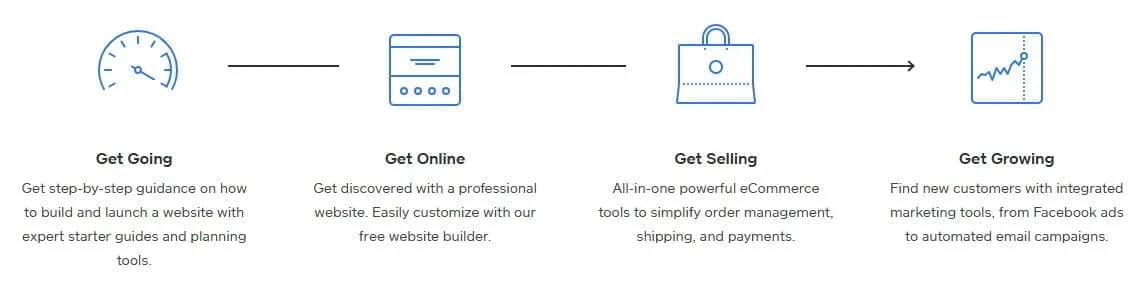
Weebly presents a simple path from building a website to selling online and growing your business.
Looking More Closely At The Weebly Editor
What The Editor Gets Right
One of the stronger parts of Weebly is the editor. It keeps things fairly clear on the screen, and that’s one of the big reasons beginners feel more comfortable with it early on. You can click into text areas and edit directly in the browser, and the drag and drop system is built to keep the layout organised rather than letting things drift out of place.
For smaller websites, that’s enough for a lot of people. A local business site, a basic service site, or a straightforward portfolio can all be built inside that kind of setup. If someone wants to go further, Weebly does also allow HTML and CSS editing through its code editor, so there is some extra room there for users with coding knowledge.
Where The Editor Feels Limited
The editor does have its weaker points. It’s built to keep things structured, but that also means you get less freedom when you want to move elements around more precisely or create a more custom layout. That may not matter on a small website, but it becomes more apparent once you want more control over how pages look.
It can also start to feel more awkward when a site grows. Managing larger amounts of content, images, or files is not as smooth as it is on platforms built for bigger websites. So while the editor is easy to get used to, its limits become clearer once you move beyond a basic site.
Themes And Templates
Weebly says its themes are responsive, so they are built to adjust across different screen sizes. It also allows theme customisation through design settings and HTML or CSS editing for people who want more control.
That said, the design side still stays fairly controlled. You can change things like fonts, colours, and parts of the layout, but the overall system does not give you endless freedom. That may be good for beginners, but people who want a more custom design may start to feel a bit boxed in.
Changing Themes
One useful part of Weebly is that changing themes does not always mean starting again from the beginning. Weebly has said that content can carry across when switching themes, which is good if you want to freshen up the look of a website later.
That’s a good point for beginners to know about, because redesigning a site can feel like a bigger job than it needs to be. If the content stays in place, it takes away some of that worry.
Using Custom Code
If you know HTML or CSS, Weebly does give you extra room to make changes through its code editor. You can also use embed code elements for added features or outside tools.
Most beginners will never need to touch that part, and that’s fine. The main editor is clearly meant to do most of the work. But it is still useful to know that custom code is there for anyone who wants more control.
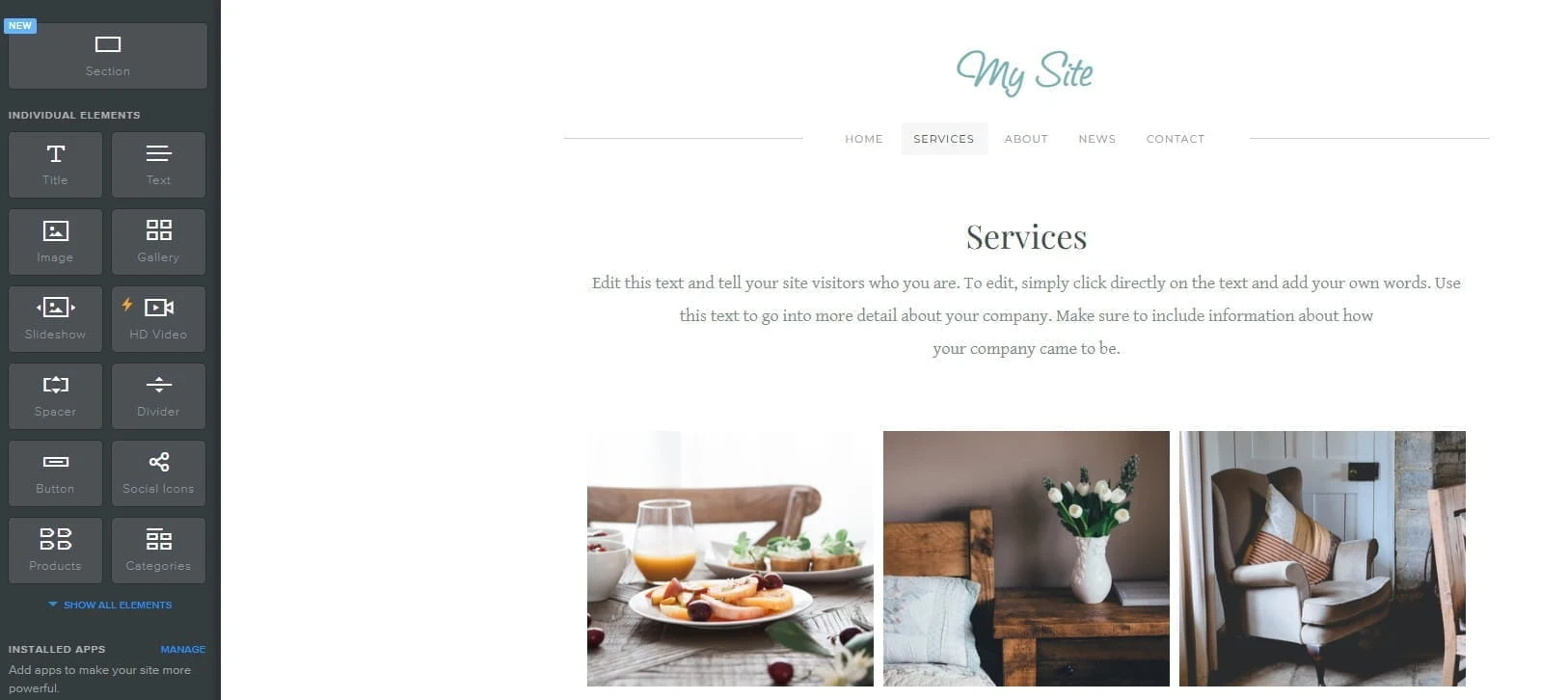
A look inside the Weebly editor, where blog posts are created in a similar way to regular pages.
Weebly Blogging For Beginners
Blogging Features
Weebly’s blogging side of things is quite easy to get started with and creating a blog post is a lot like building a regular page. You can add text, images, video, categories, comments, and the basic SEO details such as titles and descriptions. Weebly also says blogging is available on all plans, and it includes built in RSS features.
That is usually enough for a small business blog, personal updates, or a website where blogging is only one part of the overall content. For beginners, that’s one of the main selling points. The blogging tools are easy to follow and simple to manage.
Where Weebly Blogging Starts To Feel Limited
The limits can show up once blogging becomes a bigger part of the site. If you plan to publish often, organise a large amount of content, or want more control over how your blog is managed, Weebly may feel a little basic.
That does not mean you cannot run a blog on Weebly. It means the blogging side is more suited to smaller or lighter use. If content publishing is going to be a major part of your website, you may want a platform with more depth in that area.
For example, a platform like WordPress gives you more room for managing larger amounts of content, organising posts in different ways, and adding extra tools through plugins if your site gets bigger.
Selling With Weebly
What Weebly Ecommerce Includes
Selling online is one of the areas where Weebly has more to offer than some people expect. It lets you add a store to your website and sell physical and digital products. The store features include product listings, inventory tracking, coupons, shipping settings, and payment gateways such as Square, Stripe, and PayPal. It is a good setup for smaller sellers, but it is not really built for larger or more advanced online stores.
Weebly also promotes ecommerce tools such as gift cards, tax handling, and order management.
This is normally enough for people who want to sell a small number of products from a basic website. A small business, artist, or service provider should find that Weebly covers the main store features that many smaller sellers need.
Where Ecommerce Starts To Feel Limited
The limits appear once the store becomes a bigger part of the business. If you plan to manage a larger number of products, want more advanced selling features, or you need more store control, Weebly may be too basic.
You can still run an online store on Weebly, it’s just that the ecommerce side is more suited to smaller shops. If online selling is going to be a big part of your business, you may want a platform that gives you more room as the store grows.
Square Integration
Square is one of the main reasons some people will look more closely at Weebly. If you already use Square, the connection between the two can be good for handling products, payments, and orders in one setup. That may be helpful for businesses that sell both online and in person.
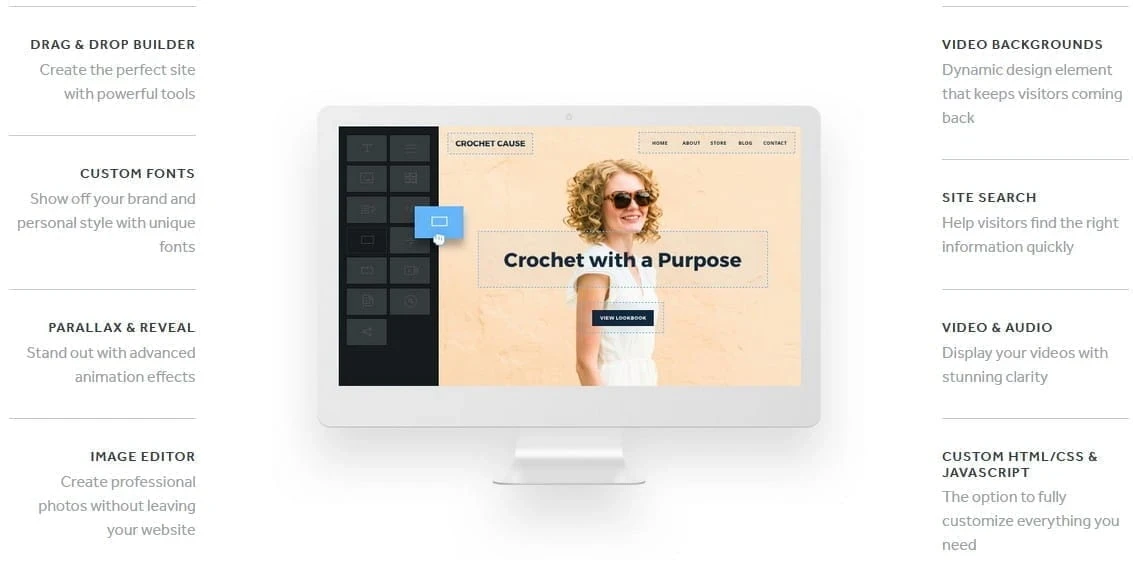
Weebly includes the main website settings and built in features that cover basic SEO needs for beginners.
Weebly SEO Features For Beginners
What Weebly SEO Covers
Weebly gives you all of the main SEO settings that most beginners are likely to need first. You can edit page titles, meta descriptions, URLs, and image alt text, and Weebly also provides built in SSL and sitemap support. It also offers 301 redirects, which helps if you change page URLs or move content later.
For a small business website, brochure site, or smaller blog, that will be enough. It gives you the main on page settings you’d expect to have control over, and that’s a good starting point for most beginners.
Where Weebly SEO Can Be Limited
The limits are there if you want more control over the technical side of SEO. Weebly covers all the basics, but it does not give you the same depth of control that you get on a platform like WordPress, where you can extend the site much further with SEO plugins and other tools.
That becomes an issue if you want to add more advanced SEO features, change technical settings more freely, or build a site where SEO is a bigger priority. For beginners, that may not be a problem at first. But for someone who wants extra control later on, Weebly can be limited.
Marketing Tools And The App Center
Built In Marketing Options
Weebly includes a few marketing tools for people who want to do more than just publish pages of content. Depending on what you use, these include popups, email collection, newsletters, and basic campaign tracking through Weebly Promote.
Weebly also offers app based tools for things like popups and lead capture, which is where some users end up adding extra features rather than just relying only on what comes built in.
The main point is that Weebly does give you some ways to collect leads and stay in touch with visitors, even if the marketing side is not that deep.
The Weebly App Center
If you want to add more features, the Weebly App Center is the place to look. Weebly says the App Center includes apps for areas such as shipping, marketing, calendars, and menus, and the category pages also show options for bookings and social tools.
That’s useful, but it is still worth checking each app properly before adding it to your site. Some apps are clearly active and recently updated, while others may not be as current, so it is a good idea to read the latest reviews and check when the app page was last updated.
Support, Hosting, Backups, And Moving Away From Weebly
Support
The support you get depends on the plan you have. Weebly’s own support page says all customers have access to email and chat support, and higher tier subscriptions also get live phone support. That means support is there, but the level of help can change depending on what you are paying for.
Hosting And Security
Hosting is built into Weebly, which is one reason beginners might like it. You are not dealing with separate hosting setup, manual SSL certificates, or a control panel like cPanel. The platform handles the hosting side for you, and SSL support is included as part of the setup.
This is good for people who want a website builder where the technical side is mostly handled for them. It keeps things simple, especially at the beginning.
Backups And Restore Options
It is worth being careful with backups on any hosted platform, and Weebly is no exception to this. If your website matters to your business, it is always good to keep copies of important text, images, and other content yourself.
That gives you more control if you ever need to make major changes or move to another platform later.
Moving Away From Weebly
If you think there is a good chance you will outgrow Weebly later, it is worth thinking about that early. This is something beginners do not always think about at the start, but it matters later.
If your website stays small and simple, Weebly may be enough for a long time. But if you later want a much bigger blog, a more advanced store, or want more control over design and features, moving away can take time.
The main reason is that the content is usually easier to move than the design. Text and images can often be copied across, but page layouts, themes, and other features often need rebuilding on the new platform. That means smaller sites are usually easier to move than larger ones, especially if the site includes a blog, store pages, or extra apps.
That does not mean you should avoid Weebly completely. It just means it is better to go into it knowing that it suits smaller and simpler websites best. If you already think your site will grow into something much larger, it may be worth choosing a platform with more room right from the beginning.
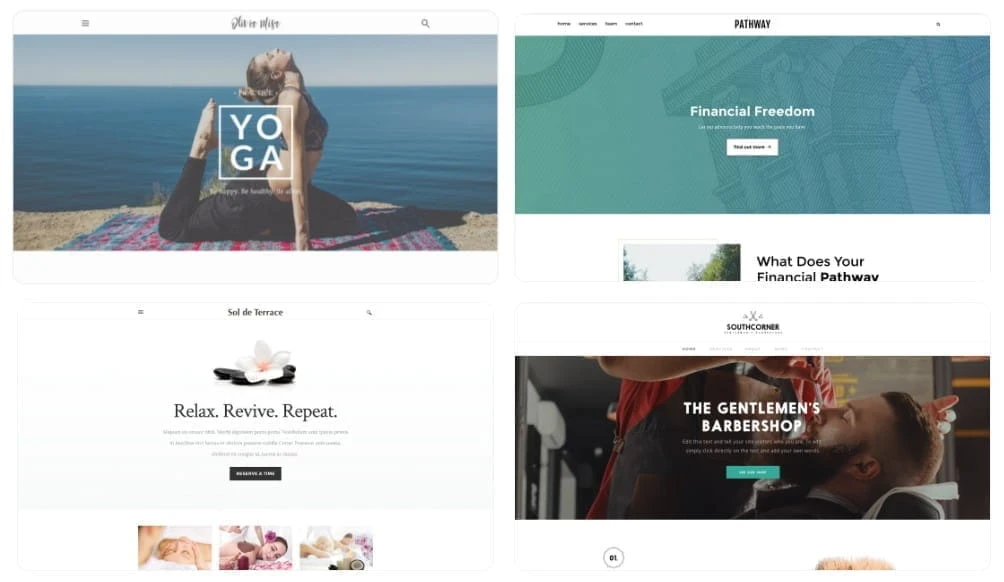
Weebly offers a range of themes, though the design choice and custom control are still fairly limited.
The Main Pros And Cons Of Weebly
What People Like
- It’s easy to get started with, especially for beginners.
- The editor keeps layouts structured, so it’s harder to make a mess of the page.
- You can get a site online fairly quickly.
- Changing themes is easier than it is on some other builders, because content can carry across.
- The store features are enough for many smaller sellers.
- It can be a useful option for people already using Square.
- There is a free plan, which gives people a way to try the platform before paying.
What People Get Frustrated By
- The template choices are not as wide as some people would like.
- Design control is limited once you want a more custom layout.
- The platform can start to feel restrictive as a website grows.
- The SEO and marketing side covers the basics, but it does not go very far.
- Moving a larger site away from Weebly takes more thought and more time.
- Support levels depend on the plan you are on.
- It is not the best choice for larger or more demanding projects.
Weebly Plans And Pricing
Weebly has a free plan as well as paid plans for people who want more features. The free plan gives you a way to try the platform, but it comes with limits. Paid plans give you more room, especially if you want stronger ecommerce features, more support, or extra editing options.
Rather than list exact prices here, I think it’s better to check the official Weebly pricing page for the latest costs and plan details, because these can change.
Frequently Asked Questions – FAQs
Yes, Weebly is still a beginner-friendly website builder. Its drag and drop editor, structured layout, and built in hosting make it easy for new users to get a website online. It covers the basics well, especially for small business websites, simple blogs, and smaller online stores.
The main drawbacks are its limited design freedom, a smaller template library, and less control once your site starts to grow. Its SEO, blogging, and marketing features cover the basics, but they do not go as far as platforms that offer more plugins, customisation, and content management options. That means Weebly can start to feel a bit restrictive if you want a larger or more advanced website.
Yes, Weebly is still in use, especially by beginners, smaller businesses, and people who want a simple website builder tied into Square. It’s still around, even if it’s not one of the first names people think of now. It is still part of Square’s website and selling tools, and it still supports website building, blogging, and ecommerce.
Weebly can be worth it if you want a simple website and like the idea of built in hosting and an easy setup. It is a good option for smaller sites. But if you already know you want stronger blogging tools, more SEO control, or a bigger online store, you may get more value from a platform with more room to grow.
That depends on what kind of website you want to build. WordPress gives you more control and more room for blogging, SEO, and plugins. Shopify is stronger for stores where selling is the main focus. Wix gives you more design freedom. Weebly is better thought of as an option for people who want a smaller website and an easier setup.
My Tips For Getting The Best Out Of Weebly
From looking through Weebly’s official information, user discussions, and long term feedback, a few points kept coming up. One of the biggest is that Weebly seems to suit people better when they have a clear website plan from the start.
Another point that comes up is that you need to pay close attention to the Square connection. That is more important if selling is part of the plan, because Weebly now sits much closer to Square than it used to. If your main goal is blogging or building out lots of content, it is worth checking carefully that the platform still gives you what you need.
It is also a good idea to keep your own copies of important text and images as you build. That is just good practice anyway. I also think it helps to keep app use under control and not add extras too quickly unless they serve a purpose.
What Could Be Better With Weebly
There are a few areas where I think Weebly could be a little better.
One is design flexibility. The editor is easy to use, and I think this is part of its appeal, but it can also feel too controlled once you want more say over how a page looks. Some extra freedom with layouts would make it a better option for people whose websites grow beyond the basics.
The blogging side could also do with more depth. While it covers simple posting well enough, people who publish often or want more control over how their content is organised may start to feel the limits after a while.
Another area is long term flexibility. If someone starts on Weebly and later wants to move to something else, that can become a bigger job as the site grows. Better export and moving options would make that less of a concern.
I also think the split between Weebly and Square Online could be clearer. For beginners especially, that part can feel a bit confusing at first. A more direct explanation of which platform is better for which type of user would help.
Other Website Builders Worth Looking At
If you’re still not sure about Weebly, it can also help to look at a few other website builders before making a final choice. I’ve also reviewed Wix separately, so if you want to compare another well known option, you can read my Wix review as well.
Wix is one of the main alternatives people usually go for. It offers a larger range of templates, built in AI tools, and more design options inside the editor. It also covers a wide mix of website types, including business sites, blogs, bookings, portfolios, and online stores, so it may appeal to people who want more choice inside the builder.
Shopify is worth looking at if selling products is going to be the main focus of your website. It is built around ecommerce and puts a big focus on checkout, store tools, analytics, and apps for extending what your store can do. That is likely to appeal more to anyone planning a more serious online store.
WordPress.com may also be worth a look if blogging, plugins, and long term growth matter more to you. It includes managed hosting, themes, and site building tools, and it also gives users access to plugins on plans that support them.
If you are still unsure, spending a bit of time looking at two or three platforms before choosing one can save you a lot of time later.
My Final Thoughts On Weebly
Weebly is still a website builder that will appeal to beginners, especially people who want a smaller website and a platform that feels easy to manage. It covers the basics well for business websites, simple blogs, and smaller online stores, and the built in hosting is one less thing to think about.
At the same time, its limits are hard to ignore once your website starts asking more of it. Design flexibility is limited, the blogging side stays fairly basic, and the SEO and ecommerce tools only go so far before other platforms start offering more room and more control.
So in my view, Weebly is best for people who want to get a straightforward website online and keep things simple. If that sounds like what you need, it could still be worth a look. But if you already know you want a larger content site, a more advanced store, or more control over design and features, you may be better off choosing something else from the start.
If you want to take a closer look at Weebly for yourself, you can visit the official Weebly website here.
Thanks for reading this Weebly Review For Beginners. And if you’ve used Weebly yourself, feel free to let me know what you think.
If you have any questions or comments, please leave them below.
Chris
Quick Summary
Weebly is a good website builder for beginners who want a simple site and an editor that is easy to manage. It is straightforward to use and can be a decent option for small business sites, basic blogs, and smaller online stores.
The downside is that it starts to feel limited once you want more design control, stronger blogging features, or more room for a growing website. So while it is good for getting started, it may not be the best long term choice for everyone.
My overall rating for the Weebly Website Builder is 3.5 out of 5
Wealthy Affiliate
This is where my journey into the online world began, and it’s still the community I use for learning, tools, and support while working on my own projects.

About Chris Towers – Follow Me

My name is Chris Towers, and I run Affiliate Pro Solutions. I work with websites, content, and affiliate projects, and this website is where I share what I’ve learned from doing that work.
Most of what I write about comes from researching hosting companies, tools, and platforms that people use when building websites or trying to earn online. I look at how things are set up, what’s included, and where people often get caught out later.
I’m not connected to the companies I review beyond standard affiliate partnerships. This site does include affiliate links, but the aim here is to explain how the services work rather than push anyone into a decision.
You’ll find me on
Other Related Website Builder Reviews
- Wix Website Builder Review Before You Sign Up

- Weebly Review For Beginners – Easy Website Builder Or Too Limited?
Just to be open with you, this page includes affiliate links. If you click on one of these links and make a purchase, I earn a small commission. There is no extra cost to you at all. This simply helps support the content I share here. Thank you for your support, it really is appreciated.
Most of these website builders are quite basic in what they give you to create your own site. They do not seem to talk about Weebly as much as Wix and Squarespace, so I’m glad to finally see some information on it.
This one looks limited like most beginner builders, but the themes look quite nice from what I’m seeing.
Thanks for your comment Derrick.
Yes, Weebly does seem to get less attention than Wix and Squarespace these days, so I thought it was worth covering properly.
And yes, the themes do look decent at first. I think the bigger question though is how far you can go with them once you want more control.
Chris