Topic – Business Management
Post Reading Time – 21 Minutes
When you start thinking about how to design your first branded business website, I know it can be easy to hit a brick wall almost straight away. Most people reach a point where they feel they’ve outgrown using only social platforms to run a business, and they’re not sure how to take the next step.
Having a proper website in place changes all that. It gives you a place that’s clear, organised, and fully yours. When I created my first site, I noticed that people understood me and my services much better as everything was finally laid out in one place.
A simple website can also help people trust you more, answer their questions, and make it easier for them to get in touch with you. There’s no need for anything complicated to begin with, just something clean and easy to follow.
Why Your First Branded Business Website Matters
A website gives your business a proper home online. It’s open 24 hours a day all around the world, so people can learn who you are and what you offer without having to wait for a reply. It also shows that your business is organised and easy to reach, which naturally builds trust and confidence.
Even if you already use social media platforms for your online business, a website brings everything together in a way that feels more reliable for the people checking you out for the first time. Please see your full website planning checklist here!
What You’ll Learn From This Post
- Understanding what your website should actually do – You’ll get clear on the purpose of your site so you know exactly what you’re building and why it matters.
- Knowing who your website is for – You’ll learn how to design your pages around the people you want to reach, making the whole site easier for your visitors to follow.
- Choosing the right setup – You’ll see how to pick your domain name, platform, and hosting without getting lost in the technical details.
- Keeping the design simple and easy to use – You’ll understand how to create a layout that’s clean, readable, and comfortable to move around on any device.
- Creating helpful content people can trust – You’ll learn how to share clear information that answers common questions and helps visitors feel more confident about working with you.
Summarize This Content Using AI

Start Your Training
- Build Your Website & Earn Revenue
- Support, Tools & Training Included
- Complete with Business HUB
- Artificial Intelligence Writers
- My Personal Support
- No Risk Free Starter Account
- FREE BONUS AI CREDITS
TL;DR
How to design your first branded business website
To designing your first branded business website you need to be thinking about the look, feel, and message you want to share with your audience. This post goes through the key parts of design, like choosing colours, layout, fonts, and how to make everything fit your business identity. Knowing what goes into a branded site will help you create something that feels put together and professional from the start.
Decide What You Want Your First Branded Business Website To Do
Before you start thinking about anything like colors or layouts, it always helps to be clear on what you want your website to actually do for your business. This will make everything easier because you’re not distracted by other features that you don’t need.
Some people build a site mainly to share information and bring in potential new enquiries. Other people want to sell products, book appointments, or keep things simple at first. You might also want a place to post updates or write small articles later on if that’s what you and your business needs.
To start off with, think about the people you’re trying to reach and what would make their experience easier.
When I built my first site, I kept things very basic. I had a main page, a contact page, and a short description of what I offered. As my business grew, I added more pages and features when I was ready. There’s no need to rush and do everything at once. Start with the essentials and add more when the time feels right.
Know Who You’re Building The Website For
Try to be clear about the kind of people you want to reach. Think about the visitors you expect to land on your site. Are they looking to buy something, book a service that you offer, learn something new, or just find a bit of guidance?
Once you understand who they are, it becomes much easier to decide what your web pages should include.
Your website should answer the questions they arrive with and guide them along without any confusion. When you create your content around the people you want to help, the whole site feels more natural and visitors usually stay longer because they can find what they’re looking for without any effort.
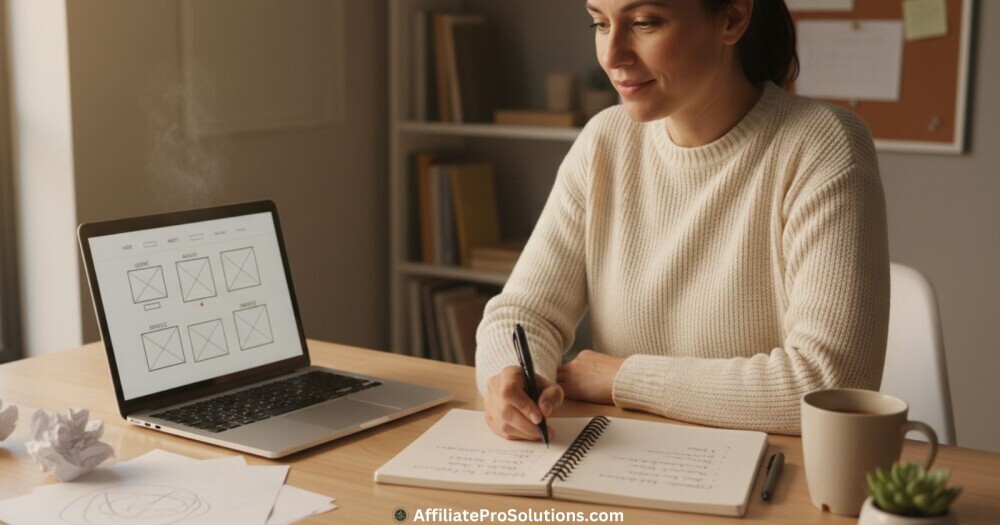
Pick a Domain Name That Fits Your Business
Your domain name is the address people type in to reach your website (also known as a URL – a Uniform Resource Locator, but don’t worry, you don’t really need to remember that part), so it helps to choose something close to your business name. This keeps things simple and you avoid any confusion later on.
If the exact name you want isn’t available, you can add a short word that still makes sense for your business without turning the name into something long or awkward.
A good domain name is usually:
- easy to spell
- short enough to remember
- clearly connected to your business
You can buy a domain through any trusted registrar or through the same place you plan to build your website.
Namecheap or GoDaddy are both good choices for buying your domain name. What matters most is that you have full control over it.
Using your own domain instead of a free one always looks more organised and it helps people take your business more seriously.
Yes it’s a small step, but it makes a difference once people start searching for you online.
Choose Where You Want To Build Your Website
I’ve seen a lot of people get stuck at this stage, but it’s actually easier than it looks.
You can either hire someone to build the site for you, or you can create it yourself, as long as you make sure you’ll be able to update it later without any hassle. There’s nothing worse than needing to change something and having no way to do it on your own.
I preferred using Wealthy Affiliate because it gave me a simple setup without needing all the technical skills right from the word go, and it’s easy to manage everything from one place once you’re up and running. You don’t need to be a know it all developer to get your site online, and you can make any changes you need later on without having to rely on anyone else.
Whatever platform you choose, just make sure the design looks good on a phone. This is important because most people check sites on their mobiles first, so the layout needs to be clear and easy to read. A clean design always works well and helps visitors move through your pages without getting lost.
A good platform usually lets you:
- update your pages easily
- add new features when your business grows
- keep everything running smoothly without any complicated steps
Starting simple is always the best way to do things. You can add more later once you have a better idea of what your visitors actually need.
Choose Your Hosting Setup
Your hosting is what keeps your website online, so it’s good to choose something steady that you won’t have to worry about. If the hosting is slow or unreliable, your visitors will know straight away.
The pages take longer to load, things break, and it becomes really annoying for both you and the people trying to reach your site.
The last thing you need too is trying to deal with complicated settings or server issues, especially when you don’t know what you’re doing.
No matter where you choose to host your site, it helps to look for a few basic things:
- your pages should load quickly
- the service should be reliable
- support should be easy to reach when you need help with something
- you should be able to move your site to another host if you ever change your mind
Most people start with shared hosting, and that’s a good first choice. It’s usually more than enough when your website is new. You can always move to something stronger later on if your website traffic grows or your needs change.
Just choose something simple that doesn’t give you headaches. Good hosting makes running your website far easier over time.
If you’d like a more in depth read on what web hosting is and how it works, you can check out this guide.
Additional Business Management Info & Resources
Plan the Design of Your First Branded Business Website
A website can look good, but the most important thing is that people can read it easily and move around without any confusion. I have seen many people over the years get taken in by cool designs and flashy gimmicks. For me, this is not the way to go, especially if you are new in the field.
Your top priority needs to be making sure your content is easy to read and your visitors can move around easily.
Keep Your Layout Clean and Easy to Follow
People need to know instantly what the site is about. They decide very quickly if they want to stay on a page or not, so it helps to keep things simple, clear and readable.
Also, keep your design as simple as you can. Use colors that fit your style without mixing too many of them together, and stick to one or two clear fonts so nothing feels messy or distracting.
The images you use should suit your business and feel natural, do not use random images that have no relevance to what you’re talking about. Your menu should also be easy to see and simple to understand, with clear labels that tell visitors exactly where each page leads.
When I first started building websites, I noticed that clutter makes people leave quickly. When your pages are spaced out properly and each section has some room to breathe, visitors stay longer because everything feels easier to follow.
Add the Main Pages People Expect
You don’t need a really large website to make a good first impression. Most visitors only look for a few simple pages that help them understand who you are and how to get hold of you.
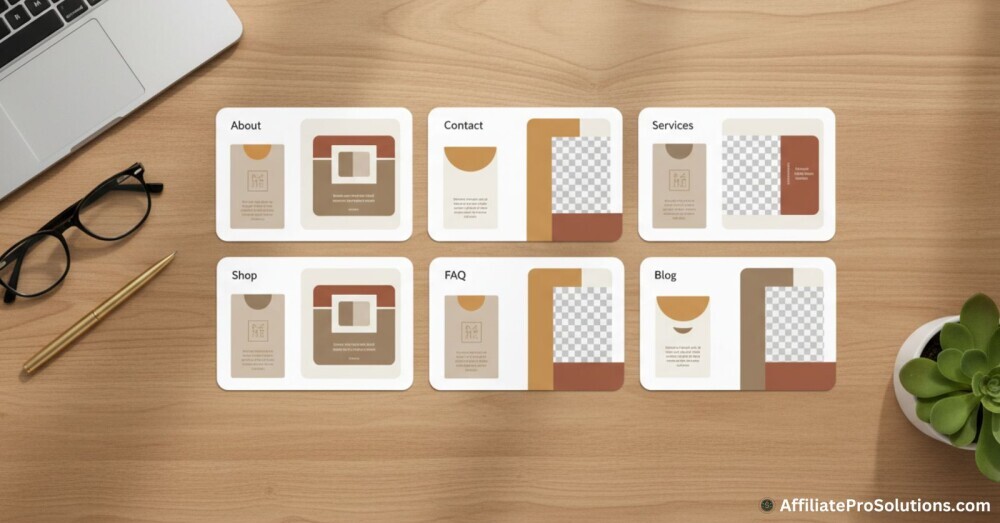
These are the ones I always include on a brand new business website:
- An About page where you share your story and explain what your business does.
- A Contact page with clear ways for people to get in touch, such as a form or an email address.
- A Products or Services page that shows what you offer, along with short descriptions and some good, natural photos.
- A Shop page if you sell directly online. You can add this later if you’re not ready for it straight away.
- A page for common questions, which helps people quickly find some simple answers.
- An optional blog or news section if you want to share tips, updates, or other useful information.
As your business grows, you can add some extras like testimonials, a gallery, or some resources people might find helpful and interesting.
The main thing is to keep things clear and easy to understand. If you collect any customer information or sell products, it’s also a good idea to include a simple privacy policy or basic terms so visitors know what to expect.
Add Selling Tools If You Need Them
Not every business website needs to include selling features right from the beginning, but if you offer products or take bookings, it will help to set things up in a simple way early on.
If you want my advice, don’t overcomplicate things. Most platforms already include the basic tools you need to take care of orders, payments, or appointment requests without dealing with technical work. And remember, simple is better!
Wealthy Affiliate, which I told you earlier is the service I use for this website, also makes it easy to add these tools later if your business expands, so you can grow at your own pace.
If you decide to sell online, try to keep your product or service descriptions clear and use natural looking photos that show people what they’re getting. Make sure any booking or stock system you use is easy to use so customers can check availability without any confusion.
Use familiar payment options so visitors feel safe when they buy from you, and always make sure your payment forms are secure. It’s also important to include simple refund or return information so people know exactly what to expect from you.
If you offer digital downloads or appointment based services, most website builders can handle these quite smoothly and with very little setup needed.
Again I will say it, keep things simple at first. Later, you can add more features when they will actually help your visitors.
Add Useful Content That Supports Your Business
Your website needs to explain clearly what you offer and why someone should choose you. Good content saves you a lot of time because it answers most, if not all, the questions people normally send through email or messages.
Share Information People Actually Need
Please know that you don’t need to be a professional writer to create good content either. Even a few clear paragraphs are enough to start with, and you can add more content later as your business and website grows.
I always make sure a site includes things like:
- short and simple “About” information that explains who you are and who you help
- clear descriptions of each product or service without any confusing language
- real photos that show your work or business in an honest way
- a small area for updates or articles if you want to share more news later on
- a plan for how you’ll let people know when you add something new
Useful content helps your website show up in the search engines (like Google, Bing and Yahoo) and it also helps people understand quickly if your services are what they need.
It is also a good idea to include some calls to action, such as inviting people to contact you or view your services, so they always know the next step.
Additional Business Management Info & Resources
Keep Your First Branded Business Website Simple and Secure
You don’t need to be a technical expert to keep your website safe, but it does help if you follow a few basic rules. Well, they’re not rules really. I suppose we can call them good habits.
First of all, make sure the devices you use are protected with antivirus software, and always be sure to choose strong passwords that aren’t easy to guess.
It also helps to be alert when checking your emails. Most problems come from clicking links or opening attachments that look harmless at first, so take a moment to check where something came from before opening it.
Keep your website and its tools up to date. When your platform asks you to update your software, plugins, or themes, it’s usually doing it for your own safety. If two factor login is available, it’s worth switching it on because it gives you an extra layer of protection with no effort.
Website builders like Wealthy Affiliate also take care of a lot of the background work for you, which makes everything easier.
As your site grows, it’s good to make regular backups too, so you always have a copy to fall back on if something ever goes wrong.
Make Your Branded Website Easy to Find and Use
It’s important that people can find your website easily and move around it without any distraction or confusion. A site can look really great, but if visitors can’t locate the information they came for, they won’t stay for long.
I always try to make things clear for my visitors and for the search engines that scan the pages in the background.
A few things that help are:
- using proper header tags so your pages are organised in a simple way
- adding alt text to your images so the search engines and screen readers understand them
- choosing colors and text sizes that are easy for everyone to read
- using available tools like Google Analytics or Microsoft Clarity to see how people use your site
- checking which pages people leave quickly from and making some small improvements where they’re needed
It also helps to test your website on different devices. Something that looks good on a laptop can look completely off on a phone, so it’s worth taking a minute to check.
Make sure your contact forms, buttons, and important links work properly everywhere too, so your visitors don’t run into problems.

Connect Your Website to Your Marketing
If you want people to find you or stay in contact, you’ll need to link your website to the other places where you communicate. So, think about your email, social platforms, or anything else you already use to try and reach out to new people.
When everything works together, it’s a lot easier to build up a steady interest and stay in touch with your audience.
Some simple things that can help are:
- offering something small for free, like a short guide or a discount, in exchange for an email address
- setting up automatic replies so people hear back from you quickly after they show interest
- adding reviews or customer photos to build trust naturally
- creating specific pages on your website if you’re running a campaign or ad, so visitors go straight to what they need
- sending updates or newsletters if you enjoy staying in contact more directly
It’s also good to think about collecting basic feedback when you can.
This will help you understand what people like and what you might want to change. Over time, your website becomes one of the easiest ways to stay connected with your audience, so it’s important to keep an eye on which pages or offers get the most attention.
Your Website Planning Checklist
To make things clearer, I’ve put together a simple checklist you can follow. It gives you a solid starting point and helps you see exactly what needs doing.
| Decide what you want the website to do | Work out the main purpose of your site so you know exactly what you’re building and who you’re trying to help. |
| Choose a domain name | Pick a name that fits your business and is easy for people to remember and type. |
| Choose where you want to build your site | Use a platform you feel comfortable with so you can update things easily and without needing the technical skills. |
| Sort out your hosting | Make sure your site loads quickly and runs smoothly so your visitors don’t run into any problems. |
| Plan a simple, readable design | Keep your layout clean, easy to understand, and comfortable to read on all devices. |
| Add the pages visitors expect | Include the basic pages people look for, such as your About page, Contact page, along with your services or products. |
| Add selling tools if you need them | If you offer products or appointments, set things up in a simple way that makes it easy for customers to buy or book. |
| Create helpful content | Write clear information that explains what you do and answers the questions people usually have. |
| Keep your website secure | Follow a few simple habits, like updating your tools and using strong passwords, to keep everything safe. |
| Make your site easy to find | Use simple SEO basics and check your layout so both visitors and the search engines can understand your pages. |
| Connect your website to your marketing | Link your website to your email and social platforms so people can stay in contact and follow your updates. |
Frequently Asked Questions – FAQs
Social media platforms are really helpful, but they can change overnight and you don’t control anything on them.
A website is yours. It stays online all day, appears in the search engines, and gives people a proper place to learn about you without searching around social platforms hoping the info is still there.
The cost depends on what it is you want, but you can get started for very little.
You’ll need a domain name and hosting at the bare minimum. If you use a platform like Wealthy Affiliate, you can build everything in one place without extra tools unless you want something more advanced later.
You don’t need to. Most modern builders use simple editors where you click to add your text, images, or new pages. If you can write an email, you can build a website.
Wealthy Affiliate also gives you templates, which makes things even easier if you feel unsure at first.
Start by sharing your website with the people you already know and add it to your social profiles.
Make sure your basic SEO settings are in place and consider adding a few helpful articles over time. Listing your business on Google also helps new people discover you naturally.
Yes, very easily.
Almost every website starts out small. You can add more pages, new features, or even a shop whenever you’re ready. You won’t need to rebuild anything. You just add to it as you go.
What I’ve Learned From Building My Own Websites.
After building a few websites over the years, I’ve noticed that the small things often make the biggest difference.
I learned this the hard way with one of my early sites when people kept messaging me asking for some basic details that should have been obvious. My contact information was hard to find, my pages weren’t updated, and the whole thing looked far more confusing than I realised.
Once I fixed these issues, things got better.
Keeping your contact details easy to find, adding your location if you work locally, and using a simple logo all help people to feel more comfortable straight away. I also make a point of checking my pages now and again so nothing looks outdated.
A small “Start Here” section is also really good if you offer guides or resources. Ah yes, and whenever possible, use your own photos because they always feel more genuine than stock images.
Why Spending Time On Your Website Is Worth It
When I built my first proper business website, I rushed through a lot of things because I just wanted to get it online. It was only later, when I went back and fixed the parts I’d rushed, that I realised how much those small changes mattered.
Adding real photos, updating my story, and showing a few genuine testimonials made the whole site feel more trustworthy. It stopped looking like something I’d thrown together and started feeling more like a place people could rely on.
I’ve seen many new business owners put their website off until they “have more time,” but in my experience, getting it sorted out early actually helps bring those first customers in.
It doesn’t need to be special from the first day. It just needs to feel real, up to date, and clear about what you offer. Taking a little extra care with the wording, the images, and the basics gives your website a much stronger start.
Once it is up and running, you can make it more appealing later.
I hope this post on how to design your first branded business website has helped you out.
Thank you, and please leave your thoughts and comments below.
Chris
Wealthy Affiliate
This is where my journey into the online world began, and it’s still the community I use for learning, tools, and support while working on my own projects.
About Chris Towers – Follow Me
My name is Chris Towers, and I run Affiliate Pro Solutions. I work with websites, content, and affiliate projects, and this website is where I share what I’ve learned from doing that work.
Most of what I write about comes from researching hosting companies, tools, and platforms that people use when building websites or trying to earn online. I look at how things are set up, what’s included, and where people often get caught out later.
I’m not connected to the companies I review beyond standard affiliate partnerships. This site does include affiliate links, but the aim here is to explain how the services work rather than push anyone into a decision.
You’ll find me on
Related
- How To Design Your First Branded Business Website That Helps People Trust You Faster
- How To Create Engaging Content That People Actually Want To Read

- FAQs Page Examples That Actually Help Your Visitors

- The 80 20 Rule For Time Management – Get More Done

- Time Management Tips For Working At Home – Get More Done

- What Is The 80 20 Rule About? – Learn How to Apply It
Just to be open with you, this page includes affiliate links. If you click on one of these links and make a purchase, I earn a small commission. There is no extra cost to you at all. This simply helps support the content I share here. Thank you for your support, it really is appreciated.
Thanks for explaining how to keep things simple in creating your first business website.
Gaining trust from your audience is essential in creating long term value with a profitable site. I agree that a website properly designed brings out the message of one’s brand much more effectively than social media platforms.
This forms the basis for providing useful content to your niche audience.
Thanks for pointing out the importance of clarity about what we want to gain from our website. This is such an important step that paves the way to effectively providing value to your audience.
A clean and easy-to-follow design will most definitely encourage people to stay on the site.
Thank you for providing the Website Planning Checklist too, which makes it easy to stay on track.
I will save your article for reference as well as to share with others.
Hi Joseph, and thanks a lot for reading the post.
I’m glad you picked up on the idea of keeping things simple. I’ve seen so many people get lost trying to add every feature they can think of, and it usually just makes the website harder to follow.
Most visitors just want clarity, a bit of honesty, and an easy way to understand what you offer.
You’re also right about the trust issue. A well built website gives people a much better feel for who you are and what your business stands for. Social platforms help, of course they do, but a website lets you lay things out in a much clearer way.
I’m happy you found the checklist useful too. I wanted it to be something that people can come back to whenever they feel stuck or unsure about the next step.
Thanks again for your comment, and I appreciate you saving the article and sharing it around. It means a lot.
Chris
This is such a helpful and grounded breakdown of what really matters when building your first branded business website.
So many new business owners feel overwhelmed by the technical side of things, and this post does a great job of stripping away the noise and focusing on clarity, purpose, and simplicity.
I especially appreciate the reminder that a website doesn’t need to be complicated to be effective. A clean layout, clear content, and an easy way for visitors to understand who you are can make a huge difference in how quickly trust is built.
Your step-by-step approach, from defining the website’s purpose, to choosing a domain, to keeping the design mobile-friendly, makes the whole process feel far more manageable.
The emphasis on knowing your audience is spot on too; it’s amazing how many people skip this part and end up with a site that doesn’t actually serve the people they want to reach.
Great insights throughout, thank you for sharing this!
Hi Andrejs, and thanks for reading the post.
I remember how confusing this whole thing felt when I first started off, so now I always try to explain things in a way that doesn’t make people feel even more lost.
I agree with you about the technical side putting people off. Most of the time it’s the simple things that make the biggest difference anyway. A clear layout, honest content, and a website that doesn’t confuse people is more than enough when you’re just getting started.
Also, knowing your audience is something I’ve learned the hard way over the years. Once you understand who you’re actually trying to help, everything on the site becomes much easier to write and organise.
Thanks again for your comment. I appreciate you passing by again and taking the time to share your thoughts.
Chris