
Topic – Survey Products
Post Reading Time – 29 Minutes
Most people don’t go searching for SurveyMonkey just because they’re curious about surveys. They’re usually looking for a way to earn money from them. That might be by answering paid surveys, working with research panels, or creating surveys for clients.
SurveyMonkey comes up early in that search for a reason. It’s one of the most recognised names, and it’s seen as a tool that can help turn surveys into something useful, and potentially profitable. But that assumption needs checking, because not every survey platform is built with earning money in mind. SurveyMonkey is not a platform where you earn money by answering surveys.
In this SurveyMonkey Review, I look at what the platform actually allows you to do, what the limits are, and how realistic it is if your goal involves making money from surveys rather than just collecting opinions. This is based on how the system is structured, how the pricing works, and what many people notice once they’ve spent some time with it.
If you’re here because you’re thinking about surveys as an income tool, not just a feedback form, this review will help you understand more about SurveyMonkey before you put time or money into it.
If you want to see how SurveyMonkey presents itself, you can also take a look at the SurveyMonkey official website before reading on.
Summarize This Content Using AI
TL;DR
SurveyMonkey review
This review goes into how SurveyMonkey works as a survey tool, what kinds of features are included, and how it performs in everyday use. It explains the basics of creating surveys, analysing responses, and areas where the tool may help you collect feedback. That will give you a good overall idea of SurveyMonkey so you know what to expect if you try it.
A Quick Summary of SurveyMonkey
- Product name– SurveyMonkey
- Main use – Online platform for creating surveys, polls, and forms, mainly used to collect structured responses and data.
- Audience – Businesses, teams, researchers, educators, HR departments, marketers, and anyone who needs to run surveys regularly and review the results.
- Pricing – Free basic plan with clear limits on questions and responses, with paid plans starting at around $25 per month depending on features and billing.
- How it works – Surveys are created through a browser-based builder using templates and guided question setup, with results updating as responses come in.
- Special options – Team access controls, reporting tools, integrations with other services, compliance settings, and secure sharing for group use.
- Key strengths – Quick setup, a large template library, and built-in reporting that makes reviewing results easier.
- Most common complaints – The costs increase once limits are reached, the free plan is restrictive, design control is limited, and support response times vary by plan.
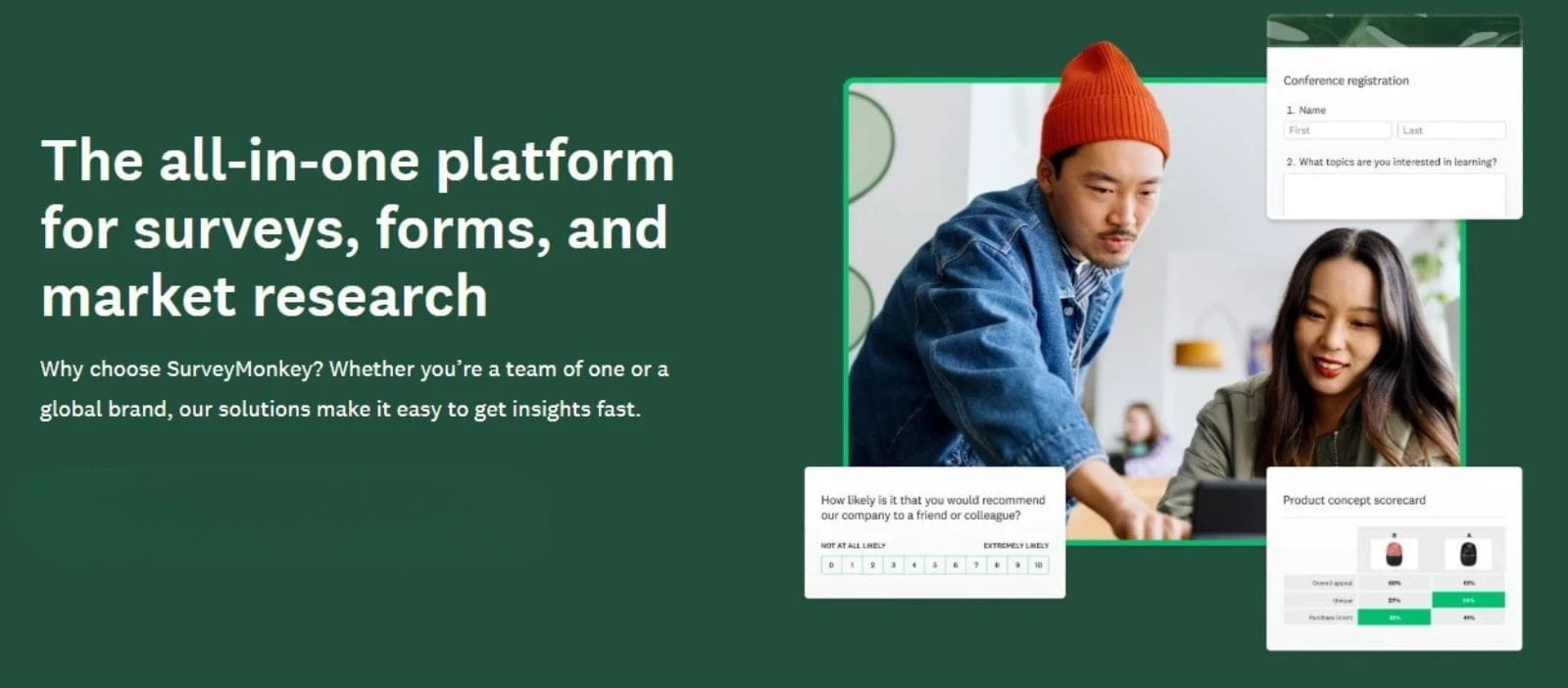
Example of how SurveyMonkey presents its surveys, forms, and research features on its website
What SurveyMonkey Is and What It’s For
SurveyMonkey is an online platform used to create surveys, forms, and quizzes through a web browser. There’s nothing for you to install and no setup is needed beyond creating an account. Everything is handled inside the dashboard, from building questions to viewing the responses as they come in.
SurveyMonkey is essentially built for collecting structured responses in a more organised way. It’s designed for situations where surveys are run repeatedly and the results need to be reviewed, filtered, and reused.
While it can be used by a single person, many of its features point toward ongoing use and shared access.
Surveys can be organised, results can be broken down in different ways, and access can be controlled when more than one person is involved. That structure is part of why it’s often used for longer-term projects rather than just for quick experiments.
SurveyMonkey is best seen as a tool for building surveys and keeping survey data organised and usable. If surveys are something you plan to use regularly, for reporting or client work, this is what SurveyMonkey is aimed at.
How Surveys Get Created in SurveyMonkey
Three Ways to Start a Survey
When you create a new survey in SurveyMonkey, you’re given three starting points.
You can begin with a blank survey, use one of the ready made templates, or let SurveyMonkey’s built in assistant suggest questions based on a short description of what you’re trying to create. Each one suits a different type of user.
Start from scratch
This option is best if you already know exactly what you want to ask. You get a blank survey and can add questions one by one without any guidance or structure being pushed on you.
Use a template
SurveyMonkey offers a large collection of pre built templates covering things like customer feedback, employee surveys, research projects, event sign ups, and scoring based surveys.
You can preview these before choosing one, which helps you decide quickly if it’s close to what you need. For many people, this saves a lot of time compared to writing everything yourself.
AI assisted setup
If you describe your goal in a short sentence, SurveyMonkey’s assistant will suggest a draft survey and recommended questions and wording. This is good if you’re stuck at the beginning, but it’s still something you’ll want to review and make changes to before using it live.
No matter which option you go with, you end up in the same builder. From there, everything can be changed. Questions can be added or removed, response types switched, wording adjusted, and the order rearranged until it suits what you’re trying to do.
How the Template Library Works
The template library is organised into categories, such as education, customer feedback, HR, and research. Inside each category, there are templates designed for specific situations, like post training reviews, satisfaction surveys, or data collection forms.
These templates are written to avoid common wording issues and leading questions. That helps to reduce mistakes, especially for people who haven’t written surveys before. Templates can also be filtered by length or purpose, such as score based surveys or open response formats.
If you need to get something set up quickly or you don’t have much experience with survey design, the templates make it easier to get started without getting confused.
Using the Survey Builder
The survey builder is at the centre of how SurveyMonkey works. It’s designed to guide its users through creating surveys step by step, without needing any technical knowledge or setup outside of the browser.
Questions are added one at a time, with response types chosen as you go, such as multiple choice, ratings, or open text. If a question type doesn’t feel right, it can be changed without having to start again, and the layout updates automatically.
This keeps the process flexible, especially for people who need to adjust surveys as they build them. The builder also includes guidance along the way.
As questions are written, suggestions appear for response formats and wording, helping users structure surveys more clearly. There are also built-in logic tools that allow surveys to react to earlier answers, without needing to understand complex rules or coding.
Before anything is shared, surveys can be previewed exactly as respondents will see them. This helps you to catch any layout issues or logic problems early, rather than after the responses start coming in.
Staying Organised
For anyone managing more than one survey, everything is kept inside a central dashboard. Surveys can be grouped, duplicated, or archived, which helps to keep all the projects tidy.
On plans that support multiple users, access can be shared with specific permissions. That means one person can build a survey, another can review the results, and others can view responses without needing to edit anything.
This structure supports ongoing survey use without things becoming hard to manage.
Question Types and Survey Logic
Available Question Types
SurveyMonkey supports a wide range of question formats, which covers the types of questions most surveys rely on. These are the main types available:
- Multiple choice with single or multiple answers
- Dropdown selections
- Short answer and long text responses
- Rating scales such as numbers, stars, or visual scales
- Matrix and grid style questions
- Ranking questions where options can be ordered
- Sliders for range based responses
- Yes or No and True or False questions
- Date and time fields
- Email capture fields
- File uploads, available on selected plans
- Image based choices where respondents select visuals instead of text
This range allows surveys to stay simple when needed, while still being able to give enough flexibility for more detailed data collection. It works for short polls, structured feedback, and form style surveys without forcing everything into the same format.
How Survey Logic Works
SurveyMonkey also includes logic rules that control how questions are shown based on earlier answers. This allows surveys to skip irrelevant questions and keep the experience more focused for respondents.
Questions can be shown or hidden depending on previous responses, and surveys can branch into different paths instead of following a single fixed order. Logic rules can also refer back to more than one earlier answer, which helps when surveys need to react to multiple conditions rather than just the last question.
Surveys can also redirect respondents at the end, depending on how they answered. This is very useful for sending people to different result pages, follow-up links, or completion screens.
Basic quiz scoring is included as well. Correct answers can be defined during the setup, and the scores are calculated automatically once responses are submitted.
Most of the advanced logic features are limited on the free plan. Things like deeper branching rules, personalised follow-up questions, and file uploads are only available on the paid plans.
That said, for smaller surveys or straightforward forms, the basic logic options are usually enough.
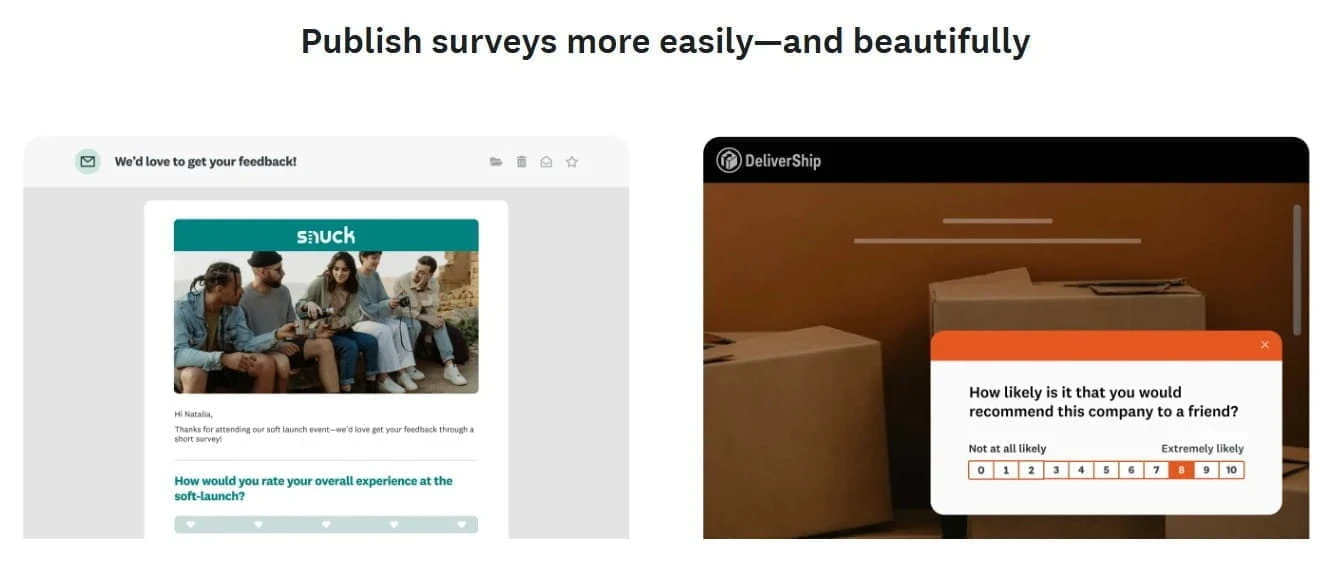
Example of survey layout and visual styling as shown on the SurveyMonkey website
Survey Design and Customisation Features
SurveyMonkey keeps the design side of things fairly simple. It’s not built for heavy visual styling, but it does give you enough control to make your surveys look clear and presentable without too much effort.
You can add a logo to your surveys and choose from a set of built-in themes directly inside the builder. These themes apply colour choices and basic layout settings automatically, so you’re not starting with a blank screen.
For many users, that’s enough to keep things consistent without spending time constantly changing design details.
There are some limits to how far you can take this. You can change the colours, move logos, and adjust a few layout elements, but you don’t get full control over the fonts, spacing, or custom styling. Everything stays within the platform’s existing structure.
This keeps all surveys readable and predictable, but it also means brand-heavy designs can feel a bit restricted.
Theme and Logo Control
SurveyMonkey can suggest a theme based on a logo or image you upload, which can help to speed things up when you just want something that looks clean without much in the way of manual effort. It’s good when you need surveys ready quickly and you don’t want to think too much about colours or layout.
If your goal is a survey that looks nice and easy to read, the available options do that job well. If you want very specific design control, you’ll probably notice the limits.
Overall, the design tools are more for clarity and consistency than visual styling, which is good for surveys that are meant to collect responses rather than impress people visually.
Building Forms and Quizzes With SurveyMonkey
SurveyMonkey uses the same builder for surveys, forms, and quizzes, so there’s no separate system to learn. If you want to create a form, you can start with a blank layout or use one of the existing templates. This is good for things like registrations, contact forms, simple applications, or just basic signups.
Quizzes are handled in a similar way. The questions are added using the same tools, and answers can be marked as correct during the setup. Scores are calculated automatically once responses are submitted, which makes quizzes useful for internal checks, training sessions, or event related activities.
It works for simple quizzes, but it’s not really meant for formal testing.
It’s worth keeping your expectations realistic here. SurveyMonkey is built first and foremost around surveys and feedback. Forms and quizzes are supported, but the platform isn’t trying to replace full form systems or advanced testing software.
Team Collaboration and Roles
SurveyMonkey is set up to support shared use, which becomes important when surveys aren’t being handled by just one person. Team members can be invited into an account and given specific roles, such as full access, editing rights, or view-only access to results.
These permissions can be applied across the whole account or limited to individual surveys.
This makes it easier to work together without things becoming unorganised. Surveys can be shared internally, folders can be used to group related projects, and everyone involved sees the same version of the survey and the same results. Any changes don’t need to rely on files being passed around, and there’s no confusion about which version is the current one.
For people working alone, these features may not matter that much of course. But if surveys become part of team work, client projects, or internal reporting, having built-in access control and shared visibility makes things easier to manage as the usage grows.
Survey Distribution Options
Once a survey is ready, SurveyMonkey offers different ways to share it, depending on how you want people to respond.
- Every survey comes with a unique link that can be shared anywhere.
- Surveys can be sent by email directly from the platform, with basic tracking to see who has opened or completed them.
- Surveys can be placed directly on a website or an internal page using an embed option.
- Paid plans allow surveys to be sent by text message, which is good for when responses are likely to come from phones.
- Surveys are mobile friendly by default, so respondents can answer easily on phones or tablets without any extra setup.
- Surveys can also be shared on social platforms like Facebook, Twitter, or LinkedIn.
These options can be used together if needed. Responses from each method are tracked inside the dashboard, so you can see where the replies are coming from without needing any extra tools.
Privacy and Access Settings
SurveyMonkey also gives you control over who can access a survey and how the responses are handled. Surveys can be open to anyone with the link, limited to specific email addresses, or protected with a password.
You can also decide whether the responses are collected anonymously or tied to respondent details. This makes it easier to use surveys for different situations, such as internal feedback, public polls, or client-facing projects.
SurveyMonkey Data Reporting, Analysis, and Exports
SurveyMonkey includes built-in reporting tools which let you view the survey results as responses come in. The dashboard updates automatically and it presents the data using charts, tables, and summaries, so you don’t have to wait until a survey closes to start reviewing what people are saying.
The responses can be filtered in different ways, such as by specific answers or groups of questions. This makes it easier to check on particular parts of a survey instead of having to scan everything at once.
Written responses can also be searched, which is good for when surveys include open text questions and the feedback starts to add up.
On the higher plans, results from multiple surveys can all be reviewed together. This allows you to look at the responses across several related surveys and see patterns that wouldn’t necessarily stand out from a single one alone.
This is useful when surveys are repeated or when similar questions are used across different projects.
SurveyMonkey also allows the survey data to be downloaded, depending on the plan you’re on. Paid plans support exports to formats like Excel, CSV, PDF, or SPSS.
Of course, the free plan is more limited here and mainly allows results to be viewed inside the dashboard. More detailed exports and filtering options only become available once you move onto a paid plan.
This is often the point where people realise they can see their data, but cannot easily take it with them without upgrading.
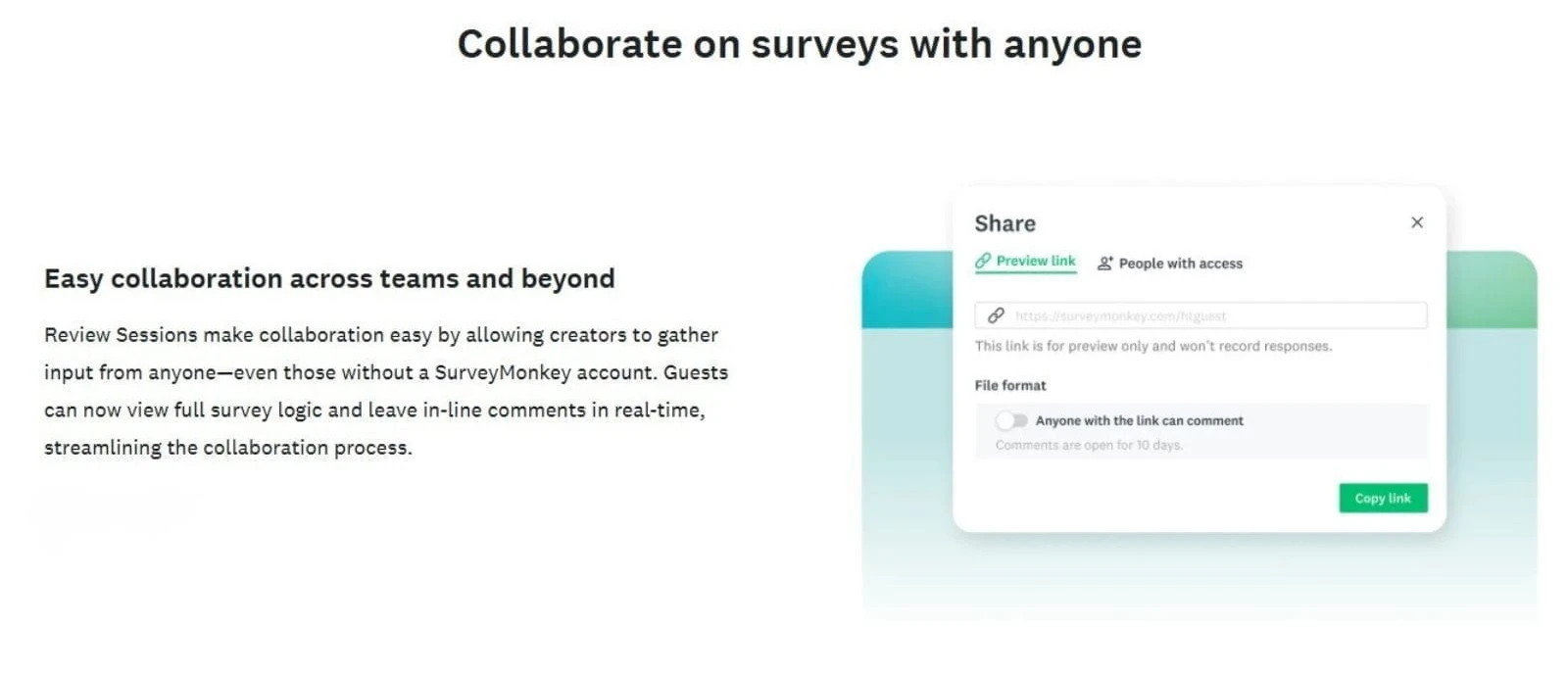
Example of sharing and connection options as shown on the SurveyMonkey website
SurveyMonkey Integrations and the Technical Tools
SurveyMonkey can connect with a range of other services, which helps when your survey results need to feed into existing systems. It works with tools such as email platforms, CRMs, file storage services, and team communication apps.
For the more technical setups, access to an API is also available, which allows surveys and responses to be handled in custom ways if someone on the team knows how to work with it.
For most users, using integrations is mainly about saving time.
Survey responses can be passed automatically to other tools, such as adding new contacts to a mailing list, updating records in a CRM, or sending out a notification when someone completes a survey. This reduces the need to download files or move data manually.
SurveyMonkey also works with automation services that allow connections to a large number of other apps without needing to write code.
This makes it easier to handle the routine tasks, such as syncing responses to a spreadsheet, sending alerts, or updating internal records, even for smaller teams that don’t have technical support.
Security and Compliance Features
SurveyMonkey takes data handling seriously, which is important once your surveys start collecting real information from customers, staff, or clients. This is especially relevant for businesses or organisations that deal with personal or sensitive data.
At a basic level, all of the survey data is protected while it’s being stored and while it’s being sent between systems. On the higher plans, there are additional controls available, such as single sign-on access and more detailed user permissions, which helps larger teams manage who can view, edit, or export survey data.
SurveyMonkey also supports common compliance requirements, including GDPR for users in Europe and other recognised standards used by businesses and institutions. Some plans also include options suited to healthcare or regulated environments, depending on how the account is set up.
If you’re running simple surveys, you’ll likely never need to change these settings. But if you’re working with clients, running internal surveys, or operating in an industry where data handling is important, then it’s useful to know the controls and documentation are already there if you need them.
How SurveyMonkey Pricing Works
SurveyMonkey uses tiered pricing, with most plans aimed at annual billing. The features and limits change quite a bit between the plans, so it’s worth understanding how they’re structured before committing to it.
- Free plan
The free plan will allow you to create basic surveys with a limited number of questions and responses. It’s very good for testing the platform or running very small surveys, but reporting, exports, and advanced question logic are restricted. It’s also worth noting that surveys on this plan include SurveyMonkey branding. - Paid individual plans
Paid plans increase the number of questions and responses you can collect and they unlock features such as advanced logic, file uploads, quiz scoring, and more detailed exports. These plans usually start at around $25 per month when billed annually, with the higher tiers offering fewer limits and more control. - Team plans
Team plans are designed for shared use and they require multiple users on the same account. The pricing increases per user, and these plans add collaboration tools, shared access, and more detailed permission controls. They’re mainly used by businesses or teams working on surveys together. - Enterprise plans
Enterprise plans use custom pricing and are intended for larger organisations. These include higher response limits, additional compliance options, deeper integrations, and managed onboarding. Pricing here requires you to contact SurveyMonkey directly.
Additional Pricing Information
One thing to be aware of is that the free plan can feel generous at first, but its limits become clear once a survey is built and ready to publish. Many users only notice the restrictions around responses, exports, or logic at that stage.
SurveyMonkey does offer monthly billing on some plans, but it’s usually priced much higher than the annual option. In practice, most long-term users are pushed toward yearly billing, especially for team-based accounts.
Pricing and plan details can change, so if you want to see the current options laid out directly by SurveyMonkey, you can check their official pricing page here.
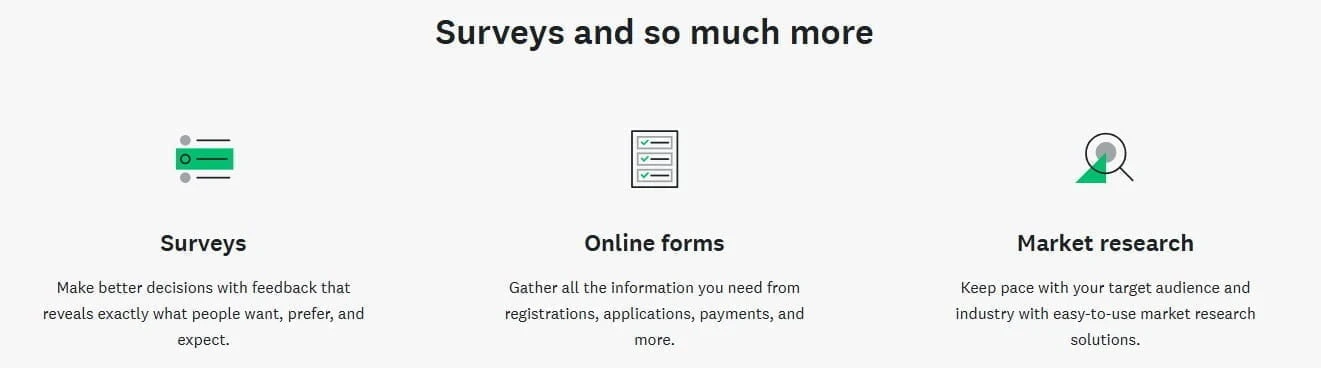
Feature overview shown on the SurveyMonkey website
Where SurveyMonkey Does a Good Job and Where It Can Be Limiting
What SurveyMonkey Is Good At
- SurveyMonkey makes it easy to get surveys up and running without too much difficulty. You don’t have to overthink the setup, especially if you start with a template. For a lot of everyday survey use, that’s a good thing.
- The templates cover most of the common situations people actually run into, like feedback forms, internal surveys, or basic research. You’re not forced to design everything from the start, and the questions are written in a way that avoids obvious mistakes.
- Results are easy to follow as responses come in. You can see what’s happening straight away without exporting anything or messing with spreadsheets. For internal feedback or client work, that on its own saves time.
- Anonymous responses are handled properly too, which matters when people need to answer honestly. And in general, surveys stay accessible and responses are recorded reliably.
Where People Start to Feel Frustrated
- Pricing is usually where the problems begin. The free plan works fine at first, but limits start to appear once a survey is ready to go live or when you want to export results. That’s mostly when people realise they need to upgrade.
- Some of the more advanced logic options can also feel a bit awkward until you’ve spent time with them. They’re not impossible to use, but they’re not something you just click together without thinking either.
- Design control is another sticking point for people. Surveys look clean, but if you want them to follow very specific branding or layout rules, you’ll notice the limits quickly.
- Support depends heavily on the plan you’re on. If you’re not paying for the higher tiers, replies can take a while when something isn’t clear.
Taken as a whole, SurveyMonkey is easy to use and dependable, but the limits start to show as you try to do more with it.
Who SurveyMonkey Is Best Suited For
SurveyMonkey is good for people or organisations that plan to use surveys more than once or twice. If surveys are part of an ongoing process, such as for collecting customer feedback, running internal check-ins, or handling repeat research tasks, the platform can be justified.
It’s also a good choice when surveys involve more than one person. Teams that need shared access, controlled permissions, and a clear way to build surveys together or review results will find those tools useful. This applies just as much to internal departments as it does to client-facing work.
It’s also good for situations where feedback is used to support decisions rather than just being collected and forgotten.
For people using surveys as part of research or validation, survey results are often just one piece of the puzzle. I’ve also written about brainstorming keywords that people actually search for, which can help when you’re trying to understand demand before making decisions.
Being able to review responses as they come in, filter them, and look at patterns across surveys helps when the results need to be acted on, not just stored away.
If you like having a good structure around how surveys are created, shared, and reviewed, SurveyMonkey will do the job. It’s built around consistency and repeat use rather than one-off tasks.
Who SurveyMonkey May Not Be Right For
I think SurveyMonkey would feel too much for people working with very tight budgets. While the free plan is fine for learning or testing your ideas, the paid plans can feel a bit expensive once you need more responses or better exports.
Just for simple needs, that cost can be hard to justify.
It’s also not ideal if you only need a survey or form once in a while. If your goal is something quick, like collecting a few signups or running a small one-off form, there are cheaper options that won’t feel as restrictive.
People who care a lot about doing their own designs may also feel limited. The surveys are clean and readable, but if you want full control over layout, fonts, or detailed branding, SurveyMonkey might not be the one you need.
Finally, if surveys are only an occasional task and not something you plan to return to regularly, the pricing and feature set may not line up with how little you actually use it.
If your original reason for looking into SurveyMonkey was finding ways to earn online rather than running surveys or collecting feedback, I’ve gone through some alternatives in my post on legitimate online jobs you can do from home.

Frequently Asked Questions – FAQs
SurveyMonkey can be worth using if surveys are something you plan to rely on regularly. It works best when you need a structured way to collect responses, review results, and reuse surveys for ongoing work.
If you only need a survey once in a while, or you’re working with very small response numbers, the value becomes harder to justify once the free plan limits show up.
Yes, SurveyMonkey is generally safe to use. Survey data is protected while it’s stored and while it’s being transferred, and the platform supports common privacy and compliance standards used by businesses and organisations.
For basic surveys, most users never need to touch the security settings. For client work or internal surveys, the higher plans include extra access controls and documentation that help with data handling requirements.
The biggest drawback is the pricing once you move beyond simple surveys. Many useful features, such as exports, advanced logic, and higher response limits, are behind the paid plans.
Design flexibility is another common complaint. Surveys are clean and readable, but there’s limited control over layout and styling. Some users also find the more advanced logic tools take time to get comfortable with.
SurveyMonkey does offer a free plan, but it comes with limits. You can create surveys and collect a small number of responses, but exports, advanced logic, and higher response counts require a paid plan.
The free version is good for testing the platform or running very small surveys, but it’s not designed for ongoing or larger projects.
Yes, there are other survey tools available, and the right choice depends on how often you run surveys and what you need from them. Some tools focus on simpler forms, others focus more on design, and some are built for large research projects.
SurveyMonkey sits in the middle, offering structure, reporting, and repeat use. If surveys are only an occasional task for you, other options may feel more suitable.
How I Put This SurveyMonkey Review Together
Before wrapping up this review, it’s worth me being clear about how it was put together.
I want to be honest and say that I haven’t used SurveyMonkey in my own projects. This review is based on looking closely at how the platform is structured, what it’s designed to do, and how it’s commonly used by businesses, teams, and organisations that rely on surveys regularly.
I’ve concentrated on how SurveyMonkey works in practice rather than just repeating marketing claims. That includes reviewing its feature set, plan limits, reporting tools, data handling options, and the areas where users often run into limits once surveys move beyond basic use.
I’ve worked with enough online tools over the years to know that no platform suits every situation. This review highlights where SurveyMonkey is usually a good option, where it can feel restrictive, and the type of work it is built for.
Everything in this review is based on publicly available documentation, user feedback, and how SurveyMonkey is typically used in actual working environments.
What Could Be Better With SurveyMonkey?
One area I think could be handled better is how the free plan limits are communicated. It’s not always clear what’s restricted until you’ve already built a survey and reached the point where you want to export results or use certain features.
Making those limits a little more clear earlier on would save people time and avoid frustration later on.
Design control is another place where some users feel constrained. The surveys look fine and stay readable, but there’s not much room to change things like fonts or layout details. For people who care about having more visual control, that can feel limiting once they start working with branded or client-facing surveys.
Exports are also more restricted on the lower plans than some people expect. Being able to download only part of a dataset, such as responses from a certain date range, would be useful for ongoing work. At the moment, those options sit in the higher pricing tiers.
The support is generally reliable, but response times depend heavily on the plan you’re on. The higher tiers naturally get faster help, and the smaller accounts may need to wait longer when something isn’t clear. That’s not unusual, but it can be frustrating when you’re trying to do things quickly.
Alternatives To SurveyMonkey
If SurveyMonkey does not feel like the right option for you, these tools are often mentioned as alternatives, depending on how you plan to use surveys.
- Google Forms
Free to use and very straightforward. This is best suited for basic forms or short surveys with small response numbers. The reporting is limited, but it’s easy to set up and manage. - Typeform
Known for visual, interactive surveys that feel more conversational. Strong on presentation and layout control, but less practical for complex logic or shared team workflows. - Microsoft Forms
This is included with most Microsoft 365 plans. It works fine for teams already using Microsoft tools, though the feature set is more limited than other dedicated survey platforms. - Qualtrics
Built for large organisations and research heavy use cases. It offers advanced analysis and targeting, but is usually far more than most small teams or individual users need. - Wufoo, Jotform, and Formstack
These tools lean more toward forms and applications rather than detailed survey analysis. They’re useful if your main goal is collecting structured responses rather than running ongoing surveys.
Final Thoughts on SurveyMonkey
SurveyMonkey is good for its quick setup, usable templates, team access, and dependable reporting. It’s good for situations where surveys are part of ongoing work, such as customer feedback, staff input, or regular satisfaction checks. The platform is widely used in business, education, and the public sector, partly because of its data handling and security controls.
The main frustrations show up once the advanced features or higher response volumes are needed, as costs increase at that point. People who care deeply about visual control may also find the design options limiting. Even so, when the goal is to collect structured responses that can be reviewed and acted on, SurveyMonkey remains a good option.
If you are curious, the free plan allows you to build and test a few surveys to see how the system works. Just be aware of the response and export limits, and keep the upgrade prompts in mind so you are not caught out after collecting useful data.
Also, if you’ve used SurveyMonkey before, I’d be interested to hear how it worked for you and what kind of surveys you have used it for. If you have any questions that were not covered here, feel free to leave a comment below.
Thanks for reading.
Chris
If you want to take a closer look, you can visit the official SurveyMonkey website and review the plans and features in more detail. It is worth spending a bit of time checking the limits and pricing so you know what to expect before committing.
Quick Summary
SurveyMonkey can be a good choice if surveys are something you plan to use regularly for feedback, research, or client work. It’s built around structure and consistency, with templates, reporting, and access controls that make ongoing survey use easier to manage.
It’s harder to justify if you only need surveys occasionally or if you’re working within a very tight budget. The free plan is fine for testing things out, but the limits show up quickly once responses grow or exports are needed. Design control is also fairly restricted, which may matter for more brand-led projects.
My Overall Rating For SurveyMonkey Is 4 out of 5
Wealthy Affiliate
This is where my journey into the online world began, and it’s still the community I use for learning, tools, and support while working on my own projects.

About Chris Towers – Follow Me

My name is Chris Towers, and I run Affiliate Pro Solutions. I work with websites, content, and affiliate projects, and this website is where I share what I’ve learned from doing that work.
Most of what I write about comes from researching hosting companies, tools, and platforms that people use when building websites or trying to earn online. I look at how things are set up, what’s included, and where people often get caught out later.
I’m not connected to the companies I review beyond standard affiliate partnerships. This site does include affiliate links, but the aim here is to explain how the services work rather than push anyone into a decision.
You’ll find me on
Just to be open with you, this page includes affiliate links. If you click on one of these links and make a purchase, I earn a small commission. There is no extra cost to you at all. This simply helps support the content I share here. Thank you for your support, it really is appreciated.
SurveyMonkey is a wonderful way to collect information for market research and to generally gather information about what you are wanting to offer. Surveys are a great way to see what exactly it is that your clients want.
What I like about SurveyMonkey in particular is its ease of use and also the fact that you can use it for free to do simple surveys for your business. The AI feature is obviously for paid users, but this may also come in handy to help you to achieve an objective.
Thanks for sharing your thoughts Michel.
I agree that surveys are useful for getting good feedback when you’re planning ideas or testing out something new. The free plan is really handy for simple use, as long as people are aware of where the limits start to show up.
Appreciate your comment.
Chris
Thanks for the review, Chris.
It was easy for me to follow along, even though it goes into quite a lot of detail, and it cleared up a few things I was unsure about.
It gave me a better idea of how the platform works and what to expect before I give it a try!
It certainly helped me work out whether SurveyMonkey is something I’d actually use.
Thanks again
Iris
Thanks Iris.
I’m happy it helped you out!. SurveyMonkey can look quite straightforward at first, so I wanted to be honest about what you actually get once you start using it.
Appreciate you reading!
Chris